

Import listings into the inventory
You bring listings from Kleinanzeigen, Vinted, willhaben, eBay or nebenan.de into the inventory as items; the item stays linked to the listing.
Importing one listing
Section titled “Importing one listing”Under My listings, click the package Save to inventory at the end of the row. If there is already an item with the same title, Kleinanzeigen-Enhanced asks:
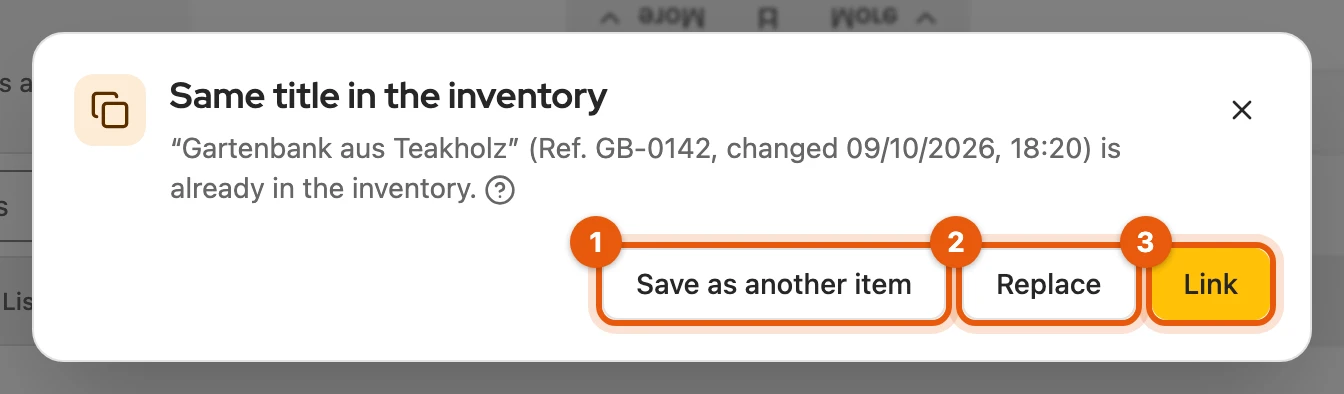
- Save as another item creates a second item.
- Replace takes the listing’s text, price and pictures into the item.
- Link connects both and changes neither.
More: listings that are already linked
- A green package means: already linked; clicking it opens the item, and the menu (⋯) holds Update item.
- Link to item in the menu connects the listing to an existing item.
Importing several listings
Section titled “Importing several listings”Select the listings and click Save to inventory in the selection bar.
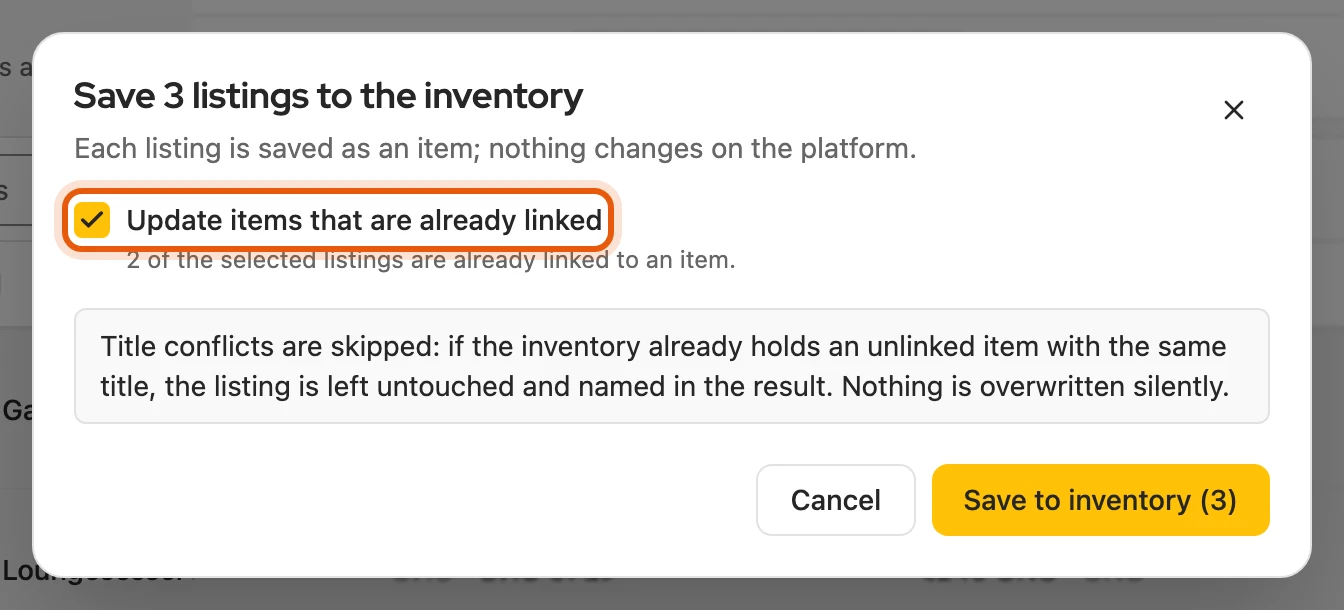
More: linked listings and identical titles
- None linked: the import starts right away, without a dialog.
- Update items that are already linked (default: on) brings existing items up to the state of the listing.
- Same title: if there already is an unlinked item with the same title, the listing is skipped (skipped: same title); nothing is silently overwritten. Link on the Start page joins such listings to their item.
- The process keeps working in the background; you find it under Processes.
- PDFs: Kleinanzeigen serves attached PDFs from an address of its own. If they are missing afterwards, click Load PDFs in the notice at the top of the dashboard; the browser asks for access once.
From the Start page
Section titled “From the Start page”The card Not in the inventory yet names, per platform, how many listings have no item yet.


- Clicking the platform opens its My listings.
- Save to inventory imports them all.
If listings carry an item’s title, Link appears below: it joins each to its item and changes neither.
More: what is counted
- Active, paused and scheduled listings, no sold or expired ones.
- Kleinanzeigen always comes first. Without such listings, the card does not appear.
From a Vinted page
Section titled “From a Vinted page”On your Vinted item, the icon in the browser toolbar or Right-click › Open in Kleinanzeigen-Enhanced opens the listing under My listings › Vinted. Save it there with the package. If it is missing there, start a sync first.
More: other Vinted pages and other sellers’ items
- Kleinanzeigen-Enhanced shows nothing on vinted.de.
- Your own item: one that was under My listings › Vinted at the last sync. Once it is linked, the menu (⋯) also holds Market check.
- Right-click works on the item page and on links to items; on other Vinted pages it opens My listings › Vinted.
- Another seller’s item: a new search agent opens with the most important words of the title; you do not have to save it.
Transferring directly to another platform
Section titled “Transferring directly to another platform”Under My listings, click the platform’s logo in the Transfer column, on kleinanzeigen.de Transfer to …; the listing is saved to the inventory along the way.
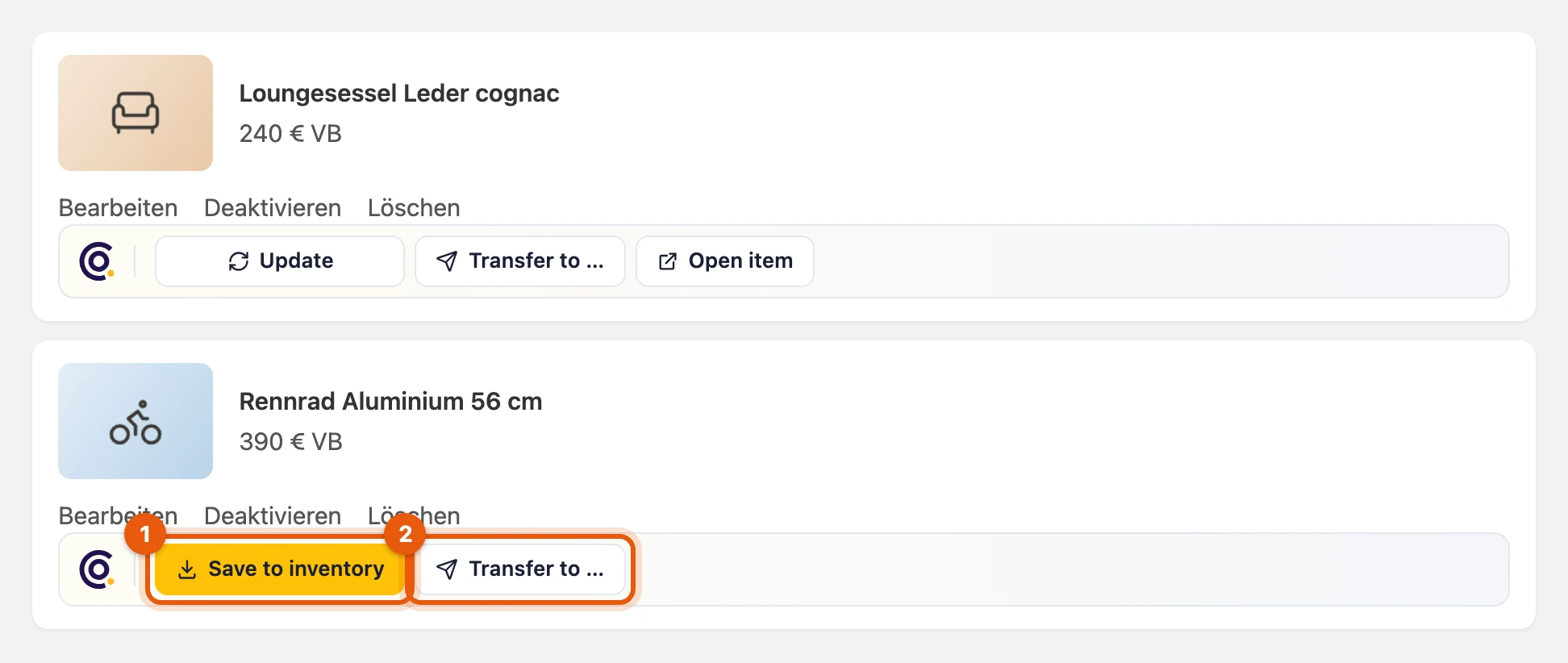
What happens next: Transferring to other platforms. Under Form only you also find Facebook, markt.de and Quoka there.
Preparation for Kleinanzeigen
Section titled “Preparation for Kleinanzeigen”With a signed-in licence, listings from Vinted, willhaben and eBay automatically get a Kleinanzeigen category and missing required details, without using credits. If that fails, click Prepare again in the item or choose the category yourself when publishing.
More: order and pace
| Origin | How the category is chosen |
|---|---|
| Vinted, willhaben | first automatically per item; the Kleinanzeigen category suggestion only if that returns none or is switched off |
| eBay | first the Kleinanzeigen category suggestion and its own matching, the automatic choice only if that is not enough |
- Pace: at most five items per ten minutes; the rest follows by itself.
- Switched off: the Kleinanzeigen suggestions and its own matching stay active.
Listings from eBay
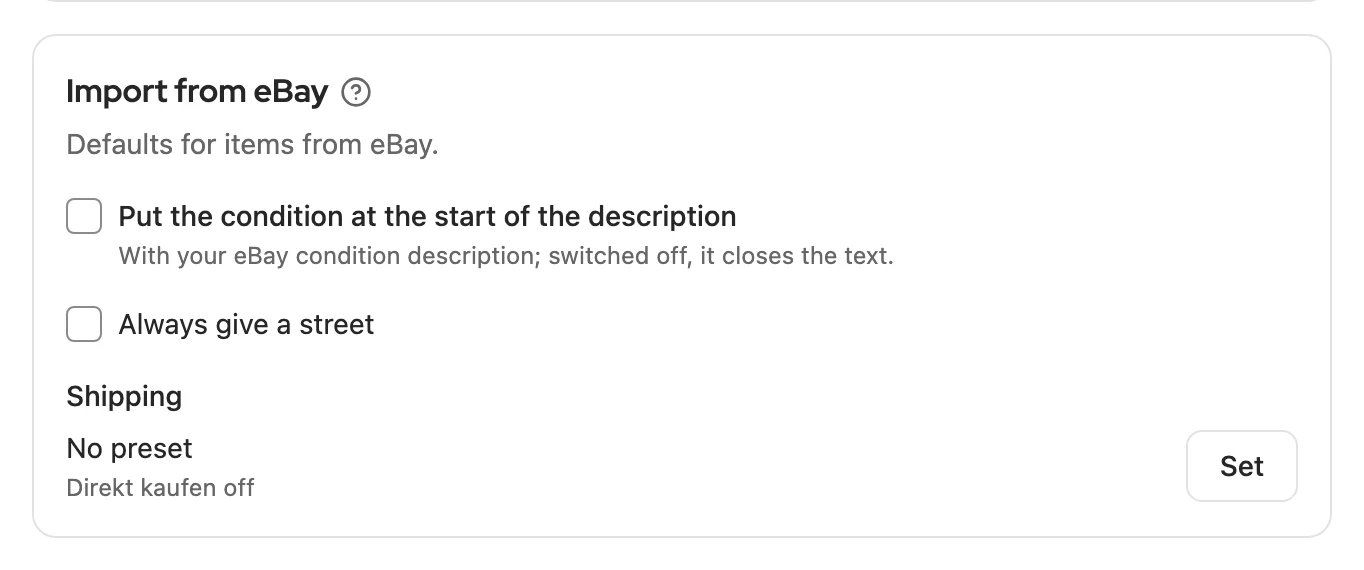
Section titled “Listings from eBay”Connect eBay under Settings › Platforms › eBay; under Import from eBay you also set the street and shipping for Kleinanzeigen there. eBay only returns ended listings for about 90 days.
More: what is imported from eBay
- Listings: all under My listings on eBay, that is active, scheduled, sold and unsold ones. If the connection has expired, you renew it in the settings.
- Fields: title, description, all pictures, condition, brand, model, colour, quantity, location, shipping and the eBay category.
- Price: for fixed price the current price, for auctions the Buy It Now price, otherwise the starting price. Currencies other than euro come without a price.
- Condition description: appears as the last paragraph “Zustand: …” in the description, or at the start if you choose so.
- SKU: becomes the item number as long as the item has none.
- Variations: only the basic data is imported; check quantity and attributes in the item.
- Product identifier: EAN, brand, model, storage and condition appear in the Product row, with the Import mark.
- Pace: each listing is read individually, with short pauses for many.
Listings from nebenan.de
Section titled “Listings from nebenan.de”nebenan.de is experimental and needs you to be signed in there in the same browser. You choose the category yourself when publishing.
When the inventory is full
Section titled “When the inventory is full”If all slots are taken, the import stops. Make room or upgrade your licence, then resume the process.