

Connect WooCommerce
Kleinanzeigen-Enhanced reads the products of your WooCommerce shop with a read-only REST key. WooCommerce is part of the licence from Business M (with a plan from version 5 from Business 100).
Creating a key in WooCommerce
Section titled “Creating a key in WooCommerce”-
In WordPress, open WooCommerce › Settings › Advanced › REST API, click Add key and enter a Description (1).
-
As User, choose an administrator or shop manager, as Permissions choose Read (2), and click Generate API key (3).
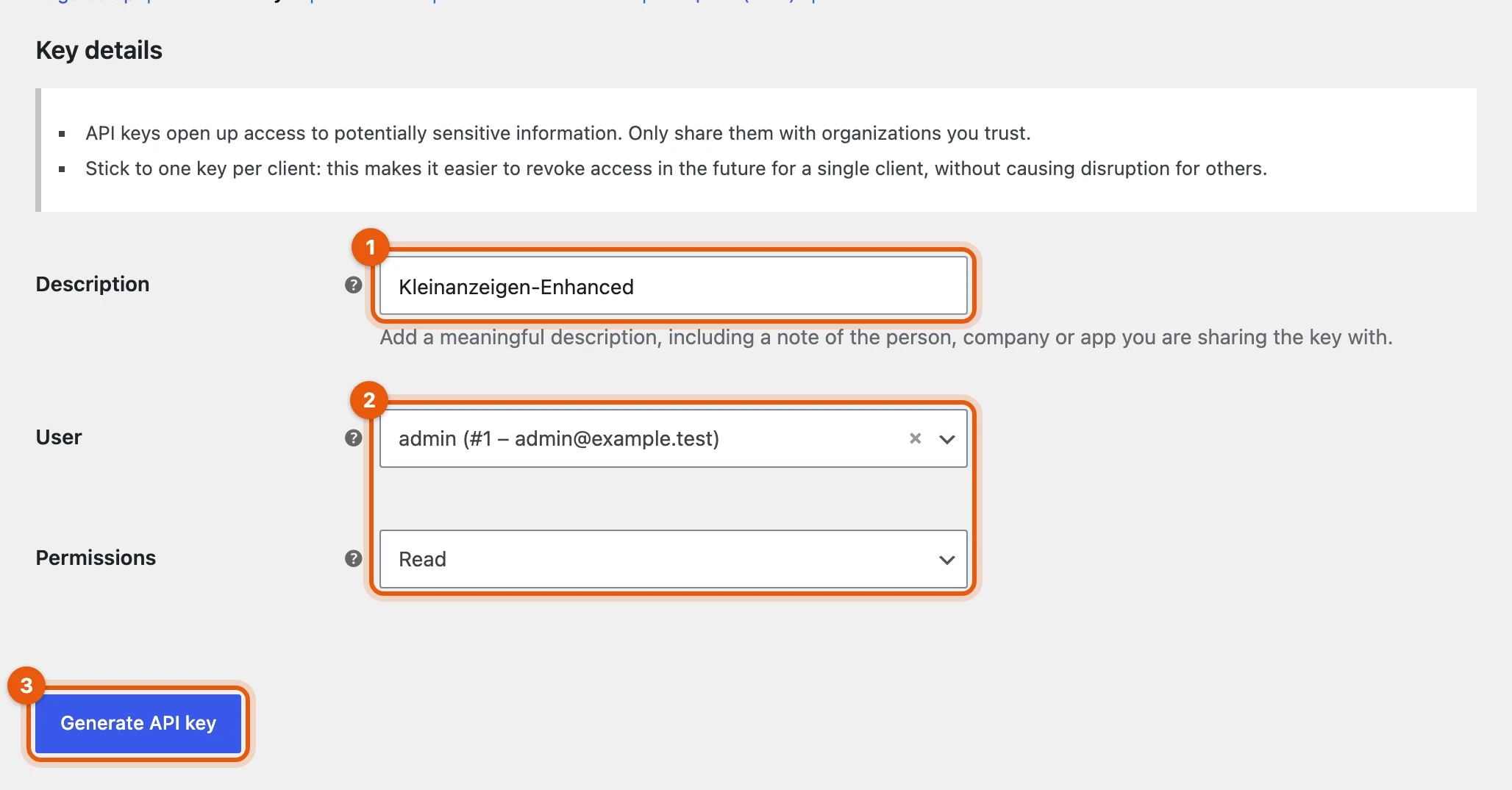
From a local test shop -
Copy the Consumer Key (
ck_…) and the Consumer Secret (cs_…) (4). WooCommerce only shows the secret now.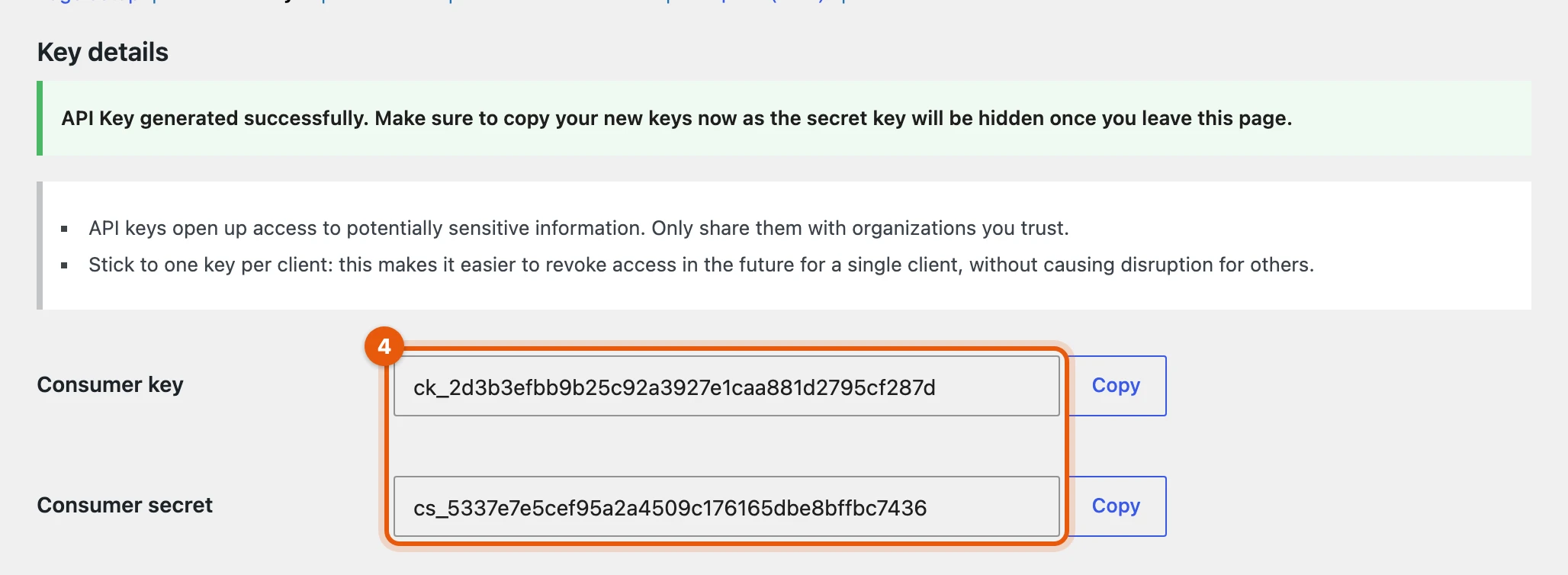
From a local test shop
Connecting the shop
Section titled “Connecting the shop”-
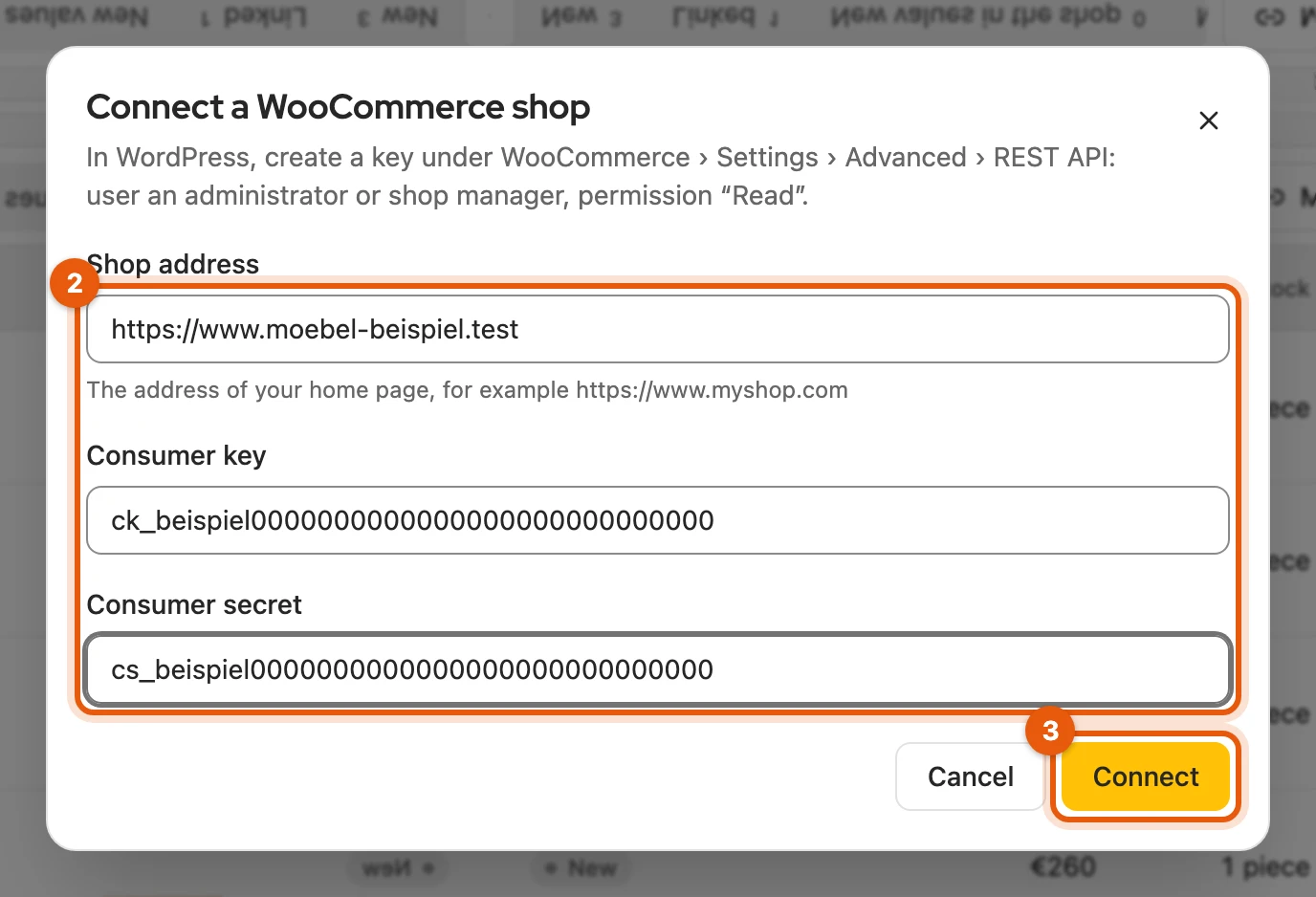
Open Integrations, click Set up under WooCommerce and then Connect shop.
-
Enter the Shop address (
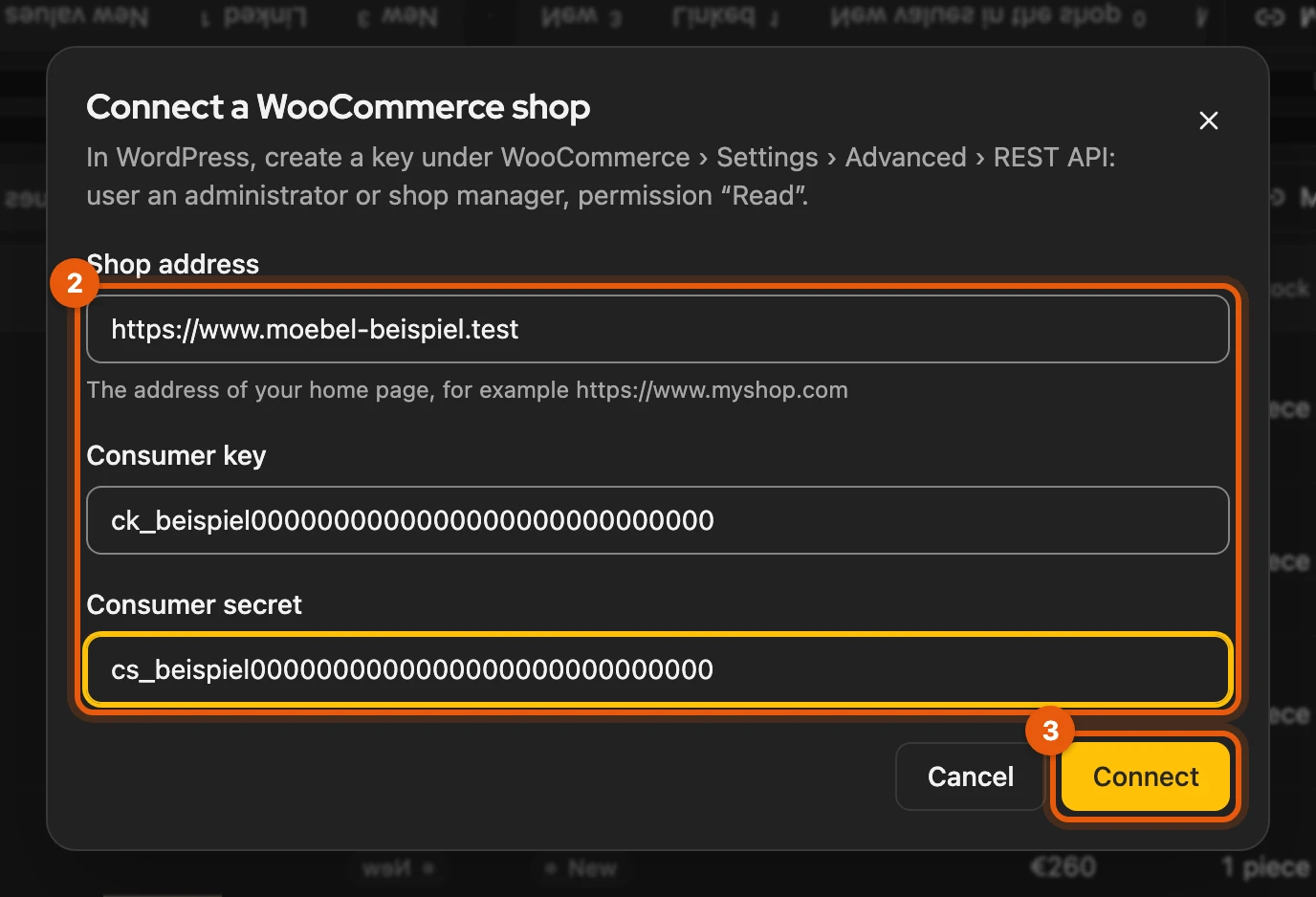
https://…, your home page) and the Consumer Key and Consumer Secret (2). -
Click Connect (3) and allow the browser to access your shop. Kleinanzeigen-Enhanced then loads all products once.
More: if connecting does not work
- Address without
https://: Kleinanzeigen-Enhanced does not send keys over an unencrypted connection. - Address redirects, for example to
www.: enter exactly the target address. Kleinanzeigen-Enhanced cuts off/wp-adminby itself. - Keys rejected: check the Consumer Key and Secret and whether the key’s user is an administrator or shop manager.
- German interface: there the keys are called Verbraucherschlüssel and Verbraucher-Geheimnis.
Working with the shop
Section titled “Working with the shop”Taking over, publishing and syncing work as with any shop or feed. If the connection needs something from you, the matching button appears next to it:
| Message | Button |
|---|---|
| Credentials rejected | Replace keys |
| Keys missing (for example after a restore) | Enter keys |
| Review needed | Review settings |
Products with variants appear as one product; it only counts as sold out once no variant can be ordered any more.
Settings
Section titled “Settings”The gear icon opens the WooCommerce settings. Defaults and Sync work as for the feed. You connect one shop; for a different one, first remove the connected one.
More: filters, prices and removing
- Filter: terms under Only products with and Without products with, separated by commas.
Title, item number, category and tags are checked;
sofa*means “starts with sofa”. Only matching products are synced. - Prices: Kleinanzeigen-Enhanced recognises net prices itself and adds the VAT in %; you can set this with Prices in the shop are net: add VAT. A new shop is set to Round to whole euros.
- Remove shop from Kleinanzeigen-Enhanced: product list, settings and keys are gone, items and listings stay. You delete the key itself in WooCommerce.