

Features on kleinanzeigen.de
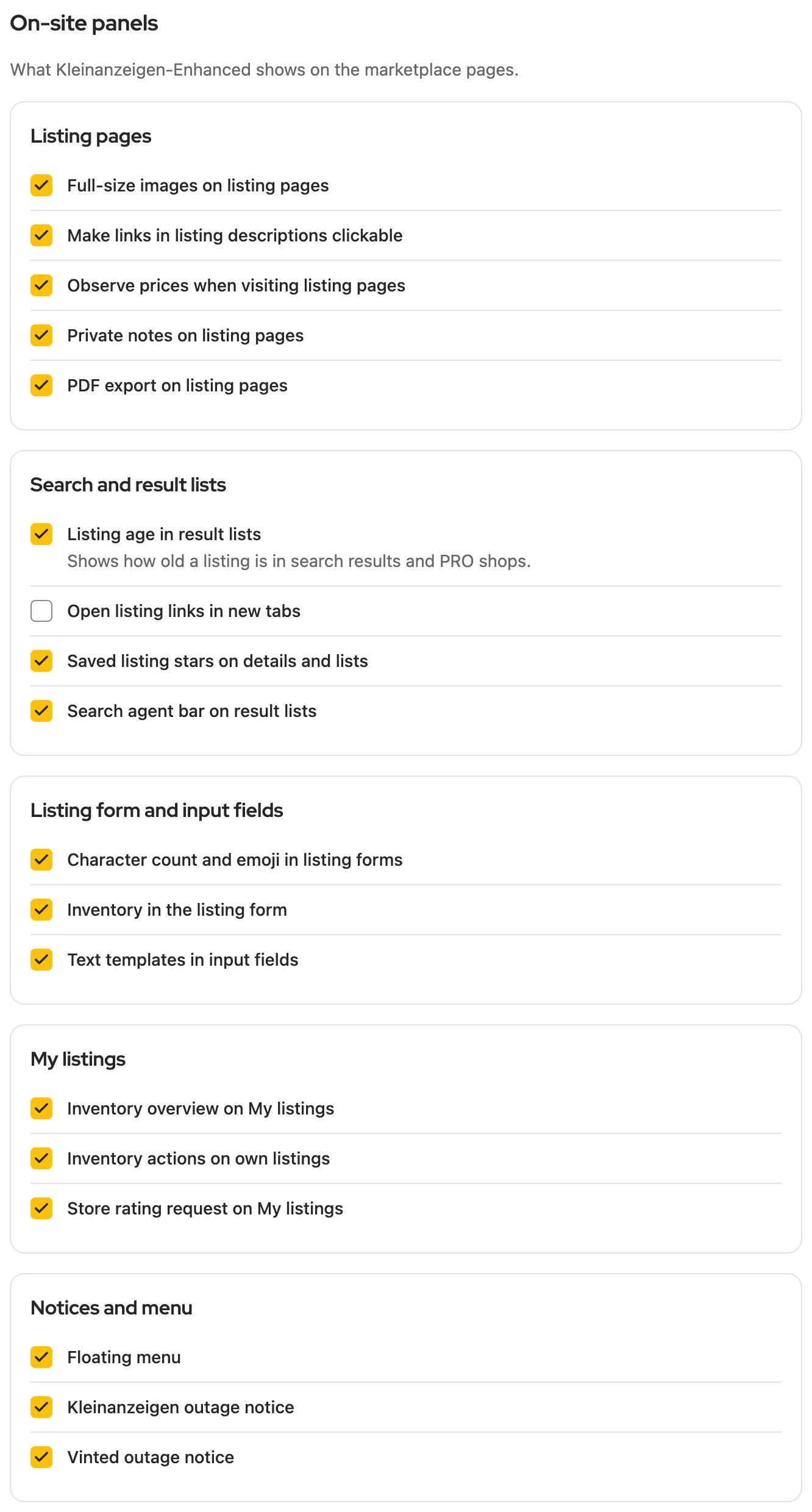
Kleinanzeigen-Enhanced adds its own elements to the Kleinanzeigen website, almost all of them without a licence. Under Settings › On-site panels you turn off each one individually; by default they are all on.
Floating menu
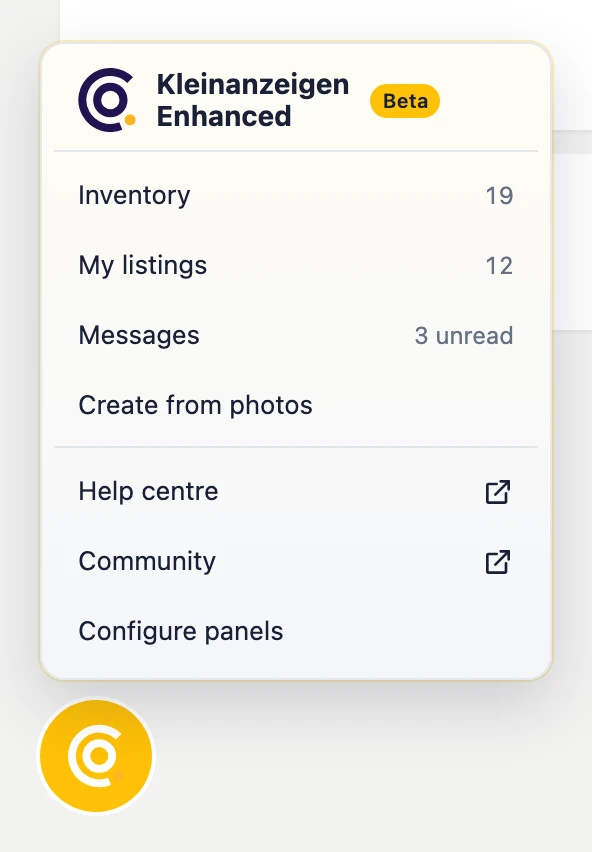
Section titled “Floating menu”The round button with the logo at the bottom left leads to the inventory, My listings, messages and help. If Version 5 is still running, Pause Version 5 stops it there, see Disabling Version 5.
More: Entries and licence notice
- Position: on the business portal at the bottom right, since its navigation runs down the left.
- Entries: Inventory, My listings and Messages with current numbers, Create from photos, the Help centre, Community, Guide (German) and Configure panels.
- Licence: If it has expired (within the first 30 days after that), is temporarily deactivated or belongs to a different Kleinanzeigen account, this appears as its own entry, for example Licence expired. A click opens Settings › Licence, see Activate your licence.
- Version 5: Version 5 is still active appears at the very top while its bars sit next to those of Version 6. It is paused only on your click, never on its own.
Overview on “Meine Anzeigen”
Section titled “Overview on “Meine Anzeigen””Above your listings a bar shows your status in tiles; each explains itself via the question mark. Save all N saves all listings not yet secured to the inventory; you follow it under Processes.

The limits for Listings in account and New listings are set by Kleinanzeigen, not by your licence.
More: The tiles and Save all N
| Tile | Meaning |
|---|---|
| Listings in account | with packages, the used and allowed listings, active and deactivated together |
| New listings | how many new listings you can post for free on Kleinanzeigen; from 90% the ring turns orange |
| Inventory | used places in your inventory; this limit is set by your licence |
| Secured | how many listings are linked to an item |
| Extended | how many listings have been extended so far |
| Sales agent | market checks you have left this month; with the sales agent also watched items and open suggestions |
- How Kleinanzeigen counts: Without a package, all listings of the last 30 days count, including deleted ones. With packages the calendar month counts, and deactivated listings still count; only deleting or a bigger package makes room there.
- Save all N: Listings that are already linked stay as they are. If an item with the same title exists, the listing is skipped; the bar names it, for example “3 skipped: same title in the inventory”, and View opens the process.
- Narrow window: Tiles that no longer fit in the row are under ⋯.
Bar on your listings
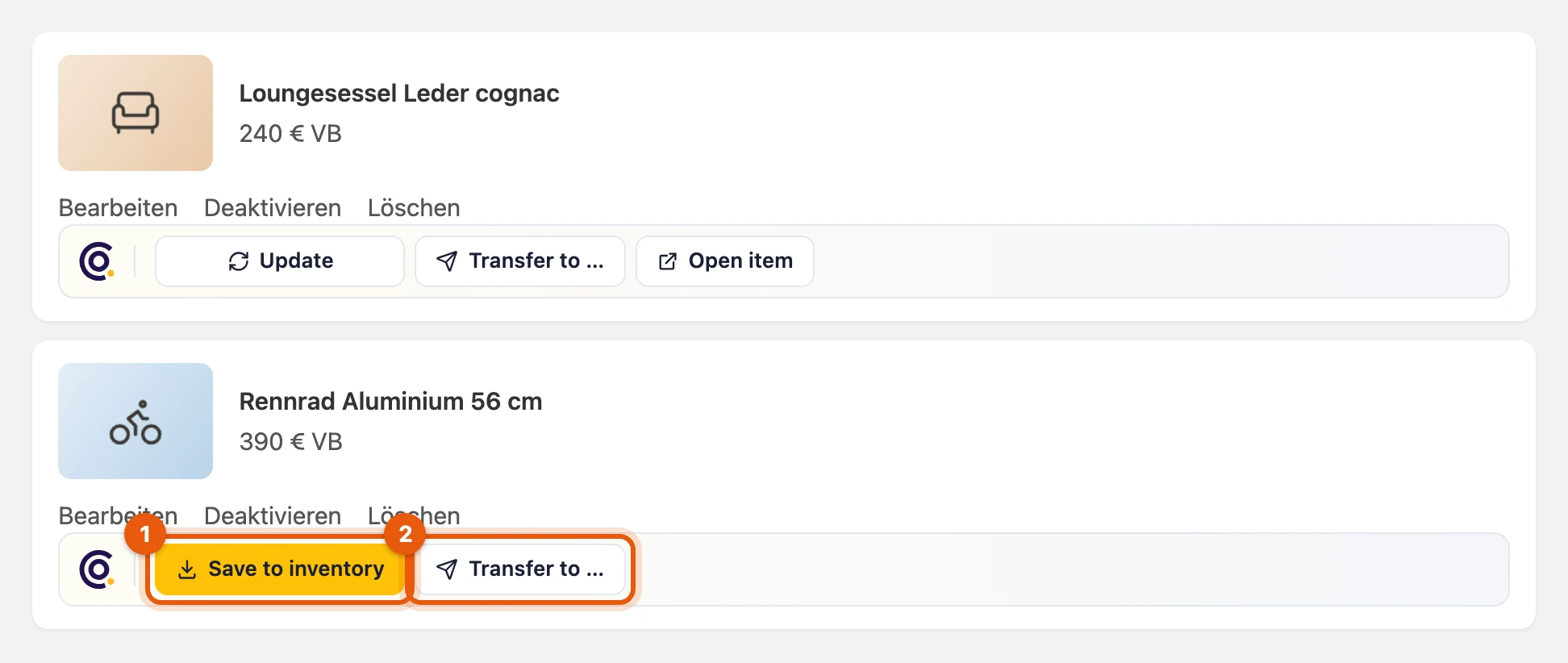
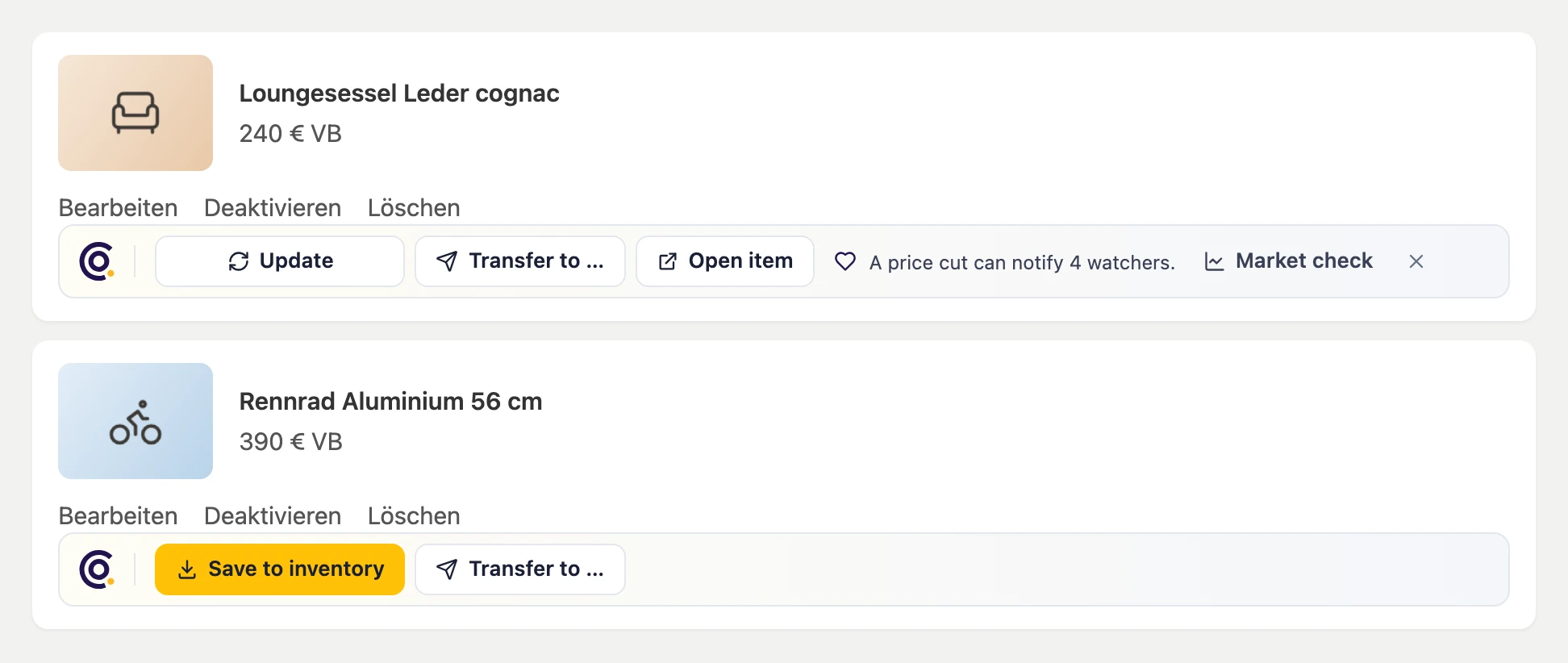
Section titled “Bar on your listings”Below each of your listings, Save to inventory (1) saves it and Transfer to … (2) transfers it to another platform. Once it is saved, Update item fetches its latest state into the item.
More: All buttons of the bar
- Transfer to …: to Vinted, willhaben or eBay; under Form only it fills in the form of Facebook, markt.de or Quoka.
- Update item: for ten seconds Undo takes it back. Open item takes you to the item in the dashboard.
- Link (yellow): an item with the same title exists; the button connects both without changing either.
- Save to inventory on the listing asks for the same title: link, replace or save another item.
- Processes, View plans, Sign in: appear when the listing is busy in a process, the inventory is full or you are not signed in.
Sales agent hints
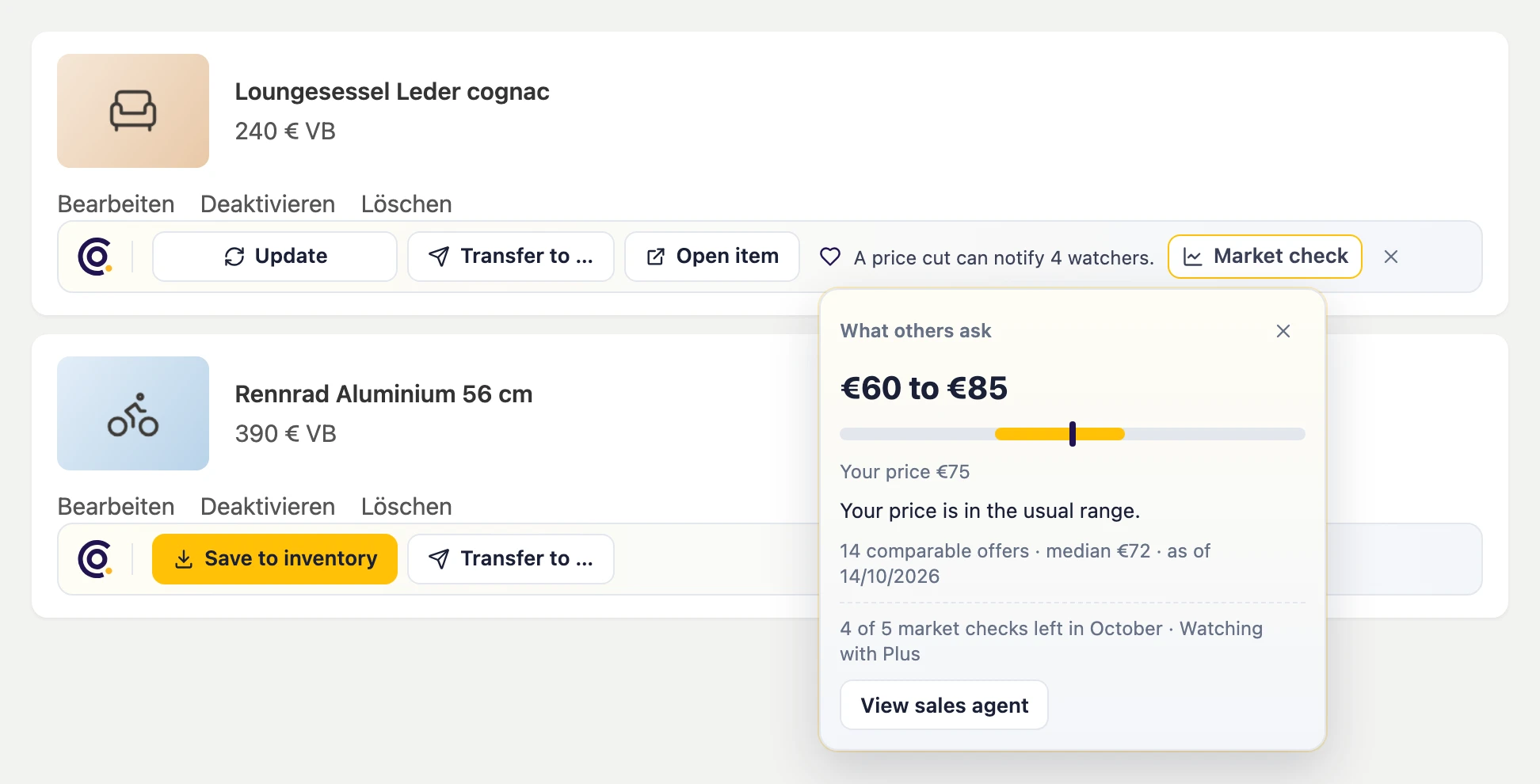
Section titled “Sales agent hints”On the right of the bar there is sometimes a hint, for example that a price cut can notify the people who saved your listing; the ✕ hides it. Market check shows where your price stands, see How many market checks.
More: Hints with and without the sales agent
- Without the sales agent a page shows at most one hint; the ✕ hides this kind of hint for good.
- With the sales agent its suggestions for the listing appear there.
- Market check stays on the page. A listing that is not saved yet goes into the inventory first. For all listings on the page, start it with Market check in the overview at the top.
Bar on the listing page
Section titled “Bar on the listing page”On a listing you save it with Save PDF, download Full-size images or write a private note only you can see with Add note.
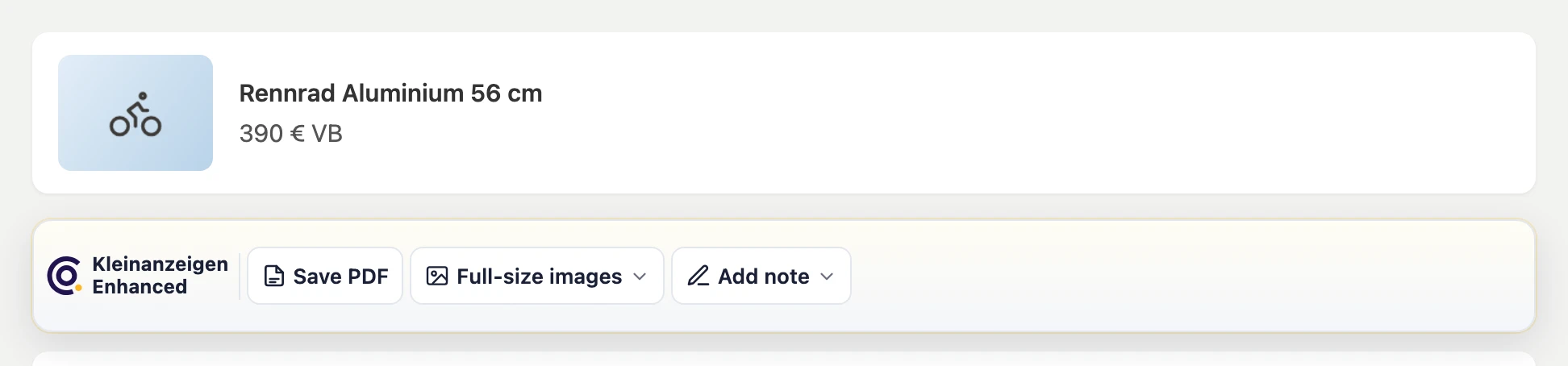
If a picture is missing or the PDF fails, a tab opens and shows what happened.
Watch star and listing age
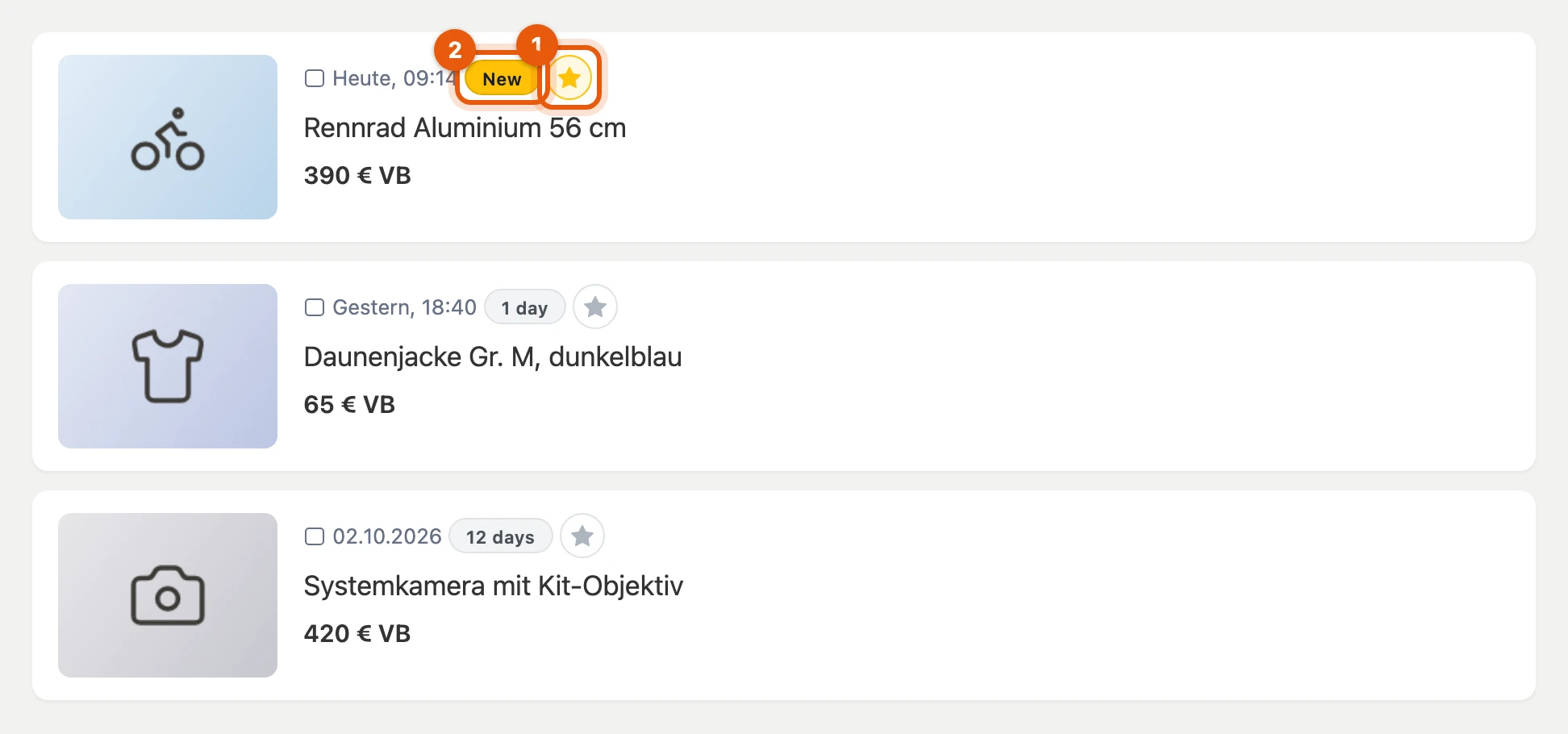
Section titled “Watch star and listing age”In search results and PRO shops you save listings with the star (1) to your watchlist. The label (2) shows the age: New, 1 day or N days.
Price hint and notes
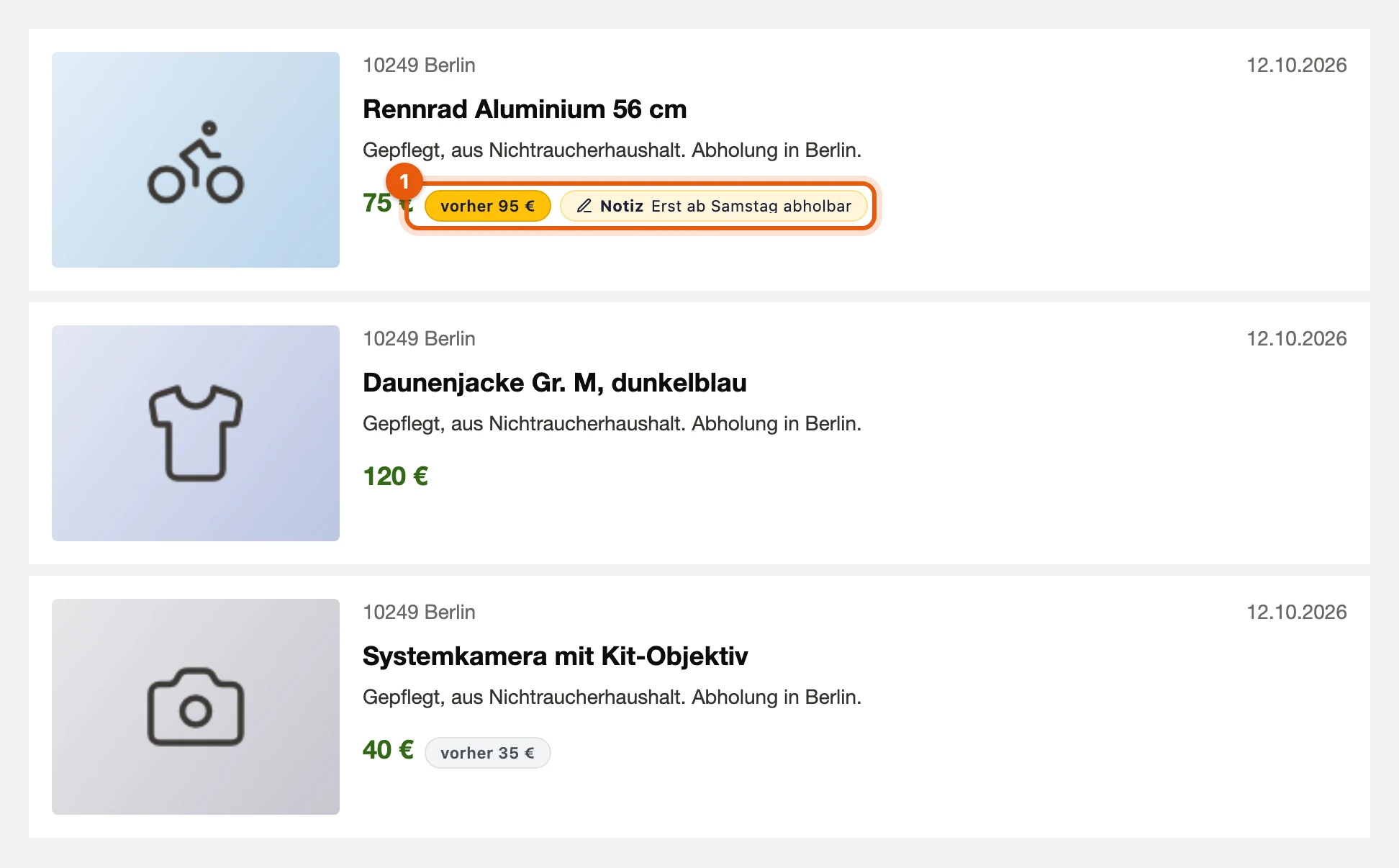
Section titled “Price hint and notes”If you have seen a listing at another price before, a hint such as was €95 stands next to it: yellow if it became cheaper, grey if it became more expensive. Your own note shows its first line next to it (1).
More: When a price counts as seen
- Seen: Kleinanzeigen-Enhanced has seen a price when you opened the listing, when it is on your watchlist or when you took it over from Version 5.
- Pointing at the hint shows when you saw the old price and by how many percent it changed; on the note it shows the whole text.
- Where: in search results, PRO shops, the list of all listings of a seller and your watchlist on Kleinanzeigen; the price hint also on the listing itself. If Kleinanzeigen already strikes through an earlier price there, no second hint appears.
- Writing a note: on the listing with Add note and in the watchlist.
- Switching off: each of them under Settings › On-site panels.
Text templates and emojis
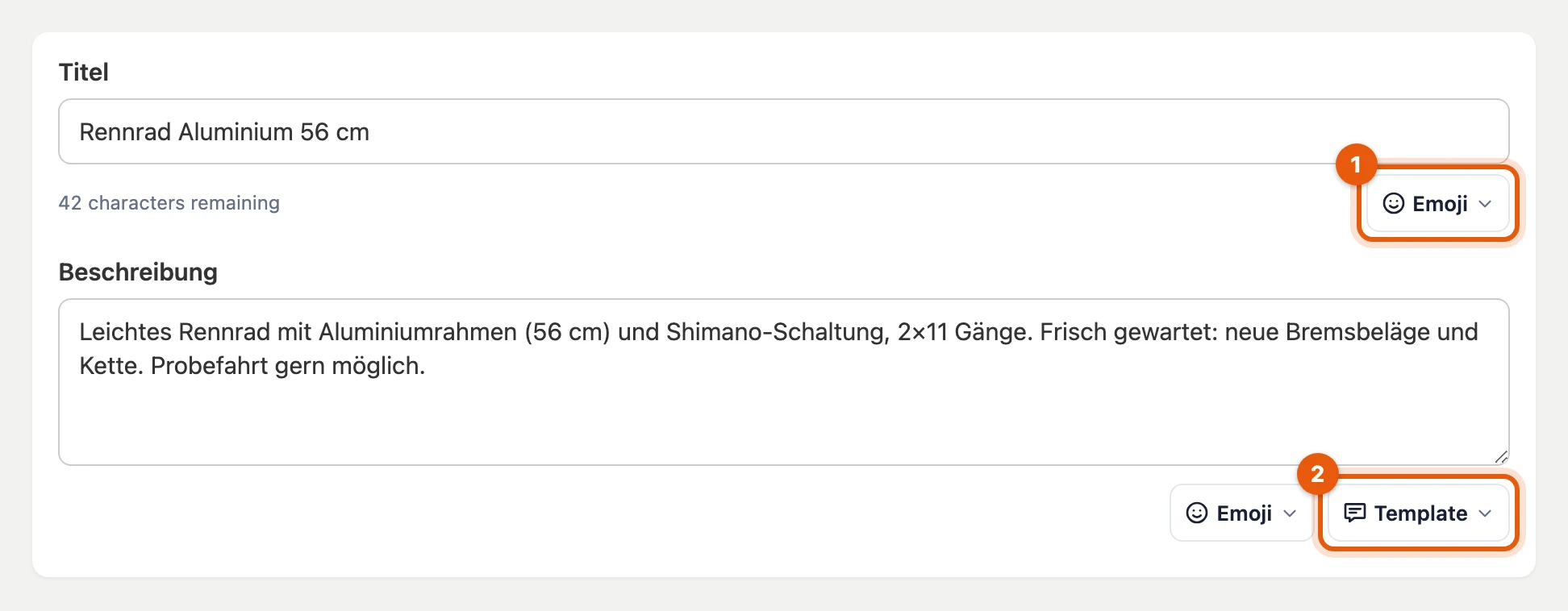
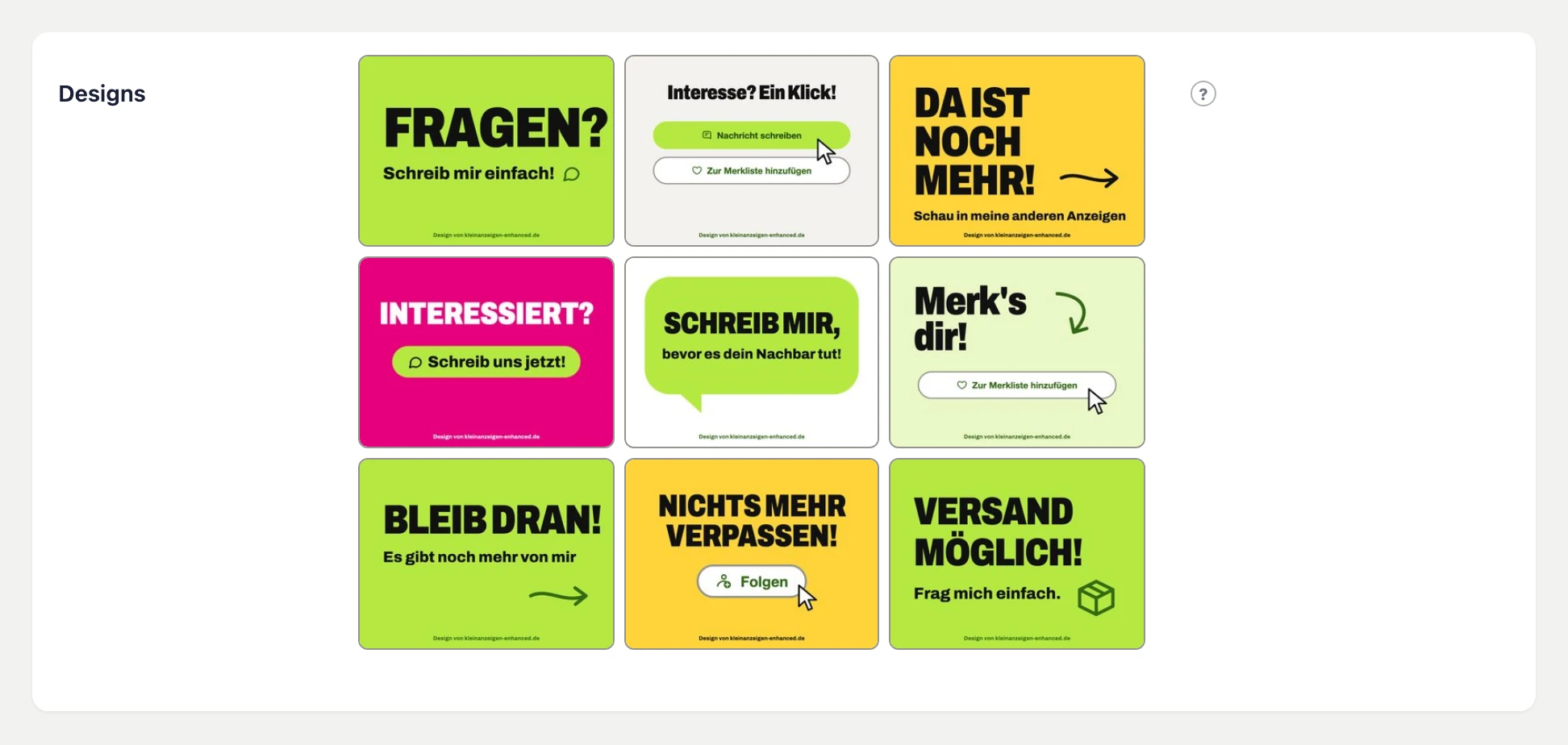
Section titled “Text templates and emojis”In the listing form, in the inbox and in contact forms you insert your text templates and emojis. Below the picture upload, one click adds one of the Kleinanzeigen designs to the listing as a picture.
More: Default template, character counters and designs
- Default template: A new, empty listing starts with your default template for listing descriptions, if you have set one.
- Character counters show the length of the title and description.
- Emojis: The picker only offers characters that Kleinanzeigen does not remove.
- Designs: They are in German, like the listings, and stay on Kleinanzeigen: they are left out when you transfer to eBay, Vinted or willhaben. You hide them under Settings › On-site panels.
Search agents on result lists
Section titled “Search agents on result lists”With a licence, Watch search above a result list creates a search agent for this search.

More: When the search is already watched
- Already watched: The bar shows the interval and new hits and opens the search agent in the dashboard.
- Without a suitable licence the bar does not appear.
- No room left: Open search agents opens the list, where you can delete one.
- Hits not readable: The bar says so; if reloading does not help, report it with Report.
Hiding hits
Section titled “Hiding hits”On result lists you hide listings you no longer want to see. Point at a hit and click the crossed-out eye at its bottom right:
- Hide this ad hides only this hit.
- Hide this seller hides every hit of this seller.
- Hide a term hides every hit whose title or description start contains the term.
The list then shows, for example, 5 hidden · show above it.
More: Showing again and limits
- Show again: show in the bar brings the hits back dimmed; the button on a hit releases it. You manage all lists under Settings › On-site panels › Hidden in result lists.
- Sellers are named in the result list by Kleinanzeigen for PRO accounts only. For private sellers Hide this seller is therefore disabled.
- Terms: Upper and lower case do not matter. Only the start of the description that the result list carries is checked, not the whole listing.
- Top ads and advertising stay as Kleinanzeigen shows them.
- Several browsers: With cloud backup the lists are matched, otherwise they apply to this browser only.
- Switch off the feature under Settings › On-site panels.
Notices
Section titled “Notices”- New account: If your Kleinanzeigen account is less than 14 days old, a one-time notice tells you which features you should not use for the time being.
- Outage notice: If Kleinanzeigen shows “IP-Bereich vorübergehend gesperrt” (IP range temporarily blocked), you report it to kleinanzeigen-stoerungen.de or see there whether others have it too. Neither your IP address nor the address you visited is transmitted.