

Publish on Kleinanzeigen
Publishing is included in every version; you need to be signed in to Kleinanzeigen in your browser. Commercial listings on an account with a package (PRO or real estate) need a Business licence, see Commercial listings.
Publishing with one click
Section titled “Publishing with one click”In the inventory, click the yellow button with the paper plane in the row (1, Publish on Kleinanzeigen). Kleinanzeigen-Enhanced fills small gaps by itself and publishes; you see the progress under Processes. In the opened item, Save and publish does the same.


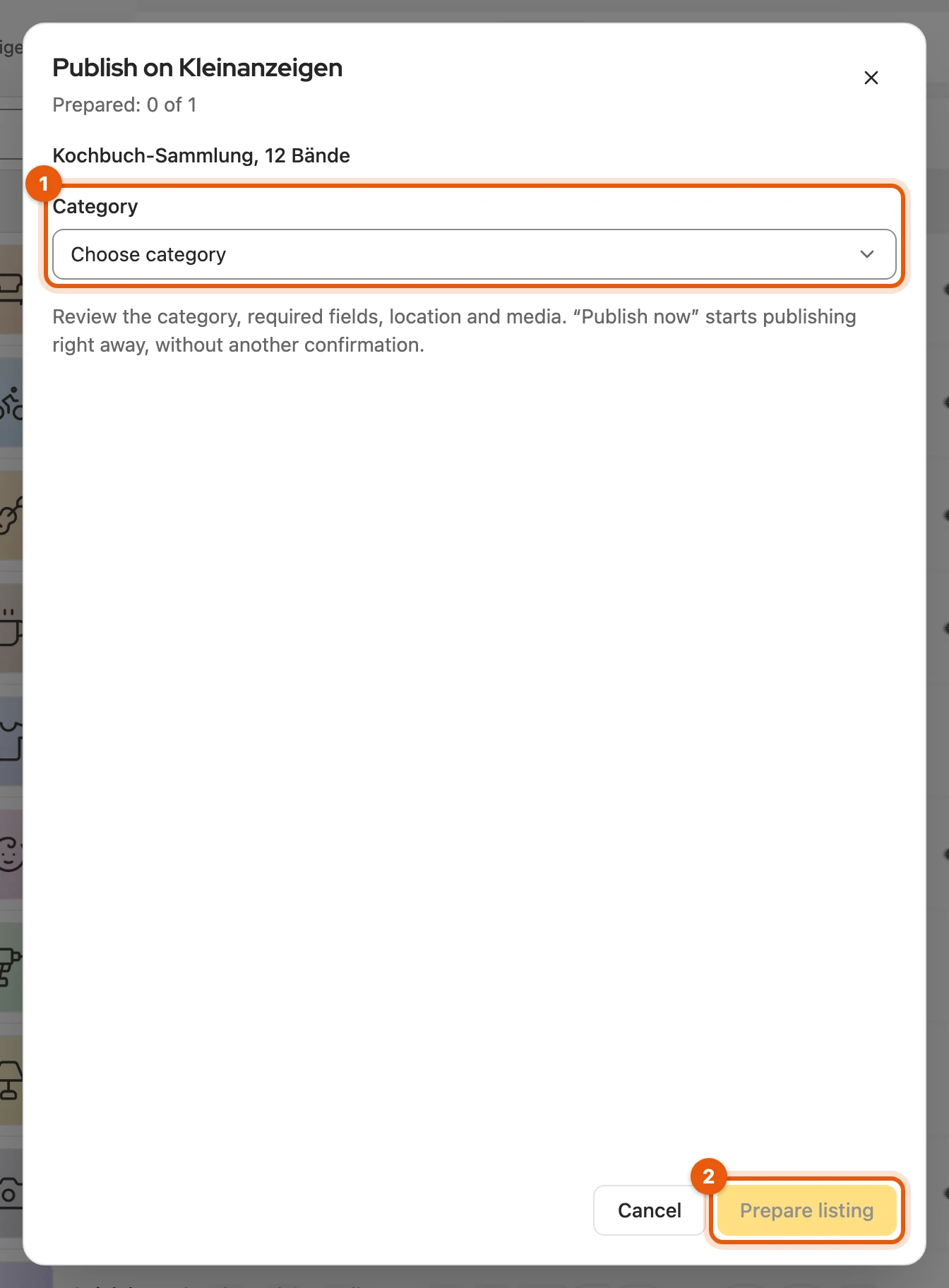
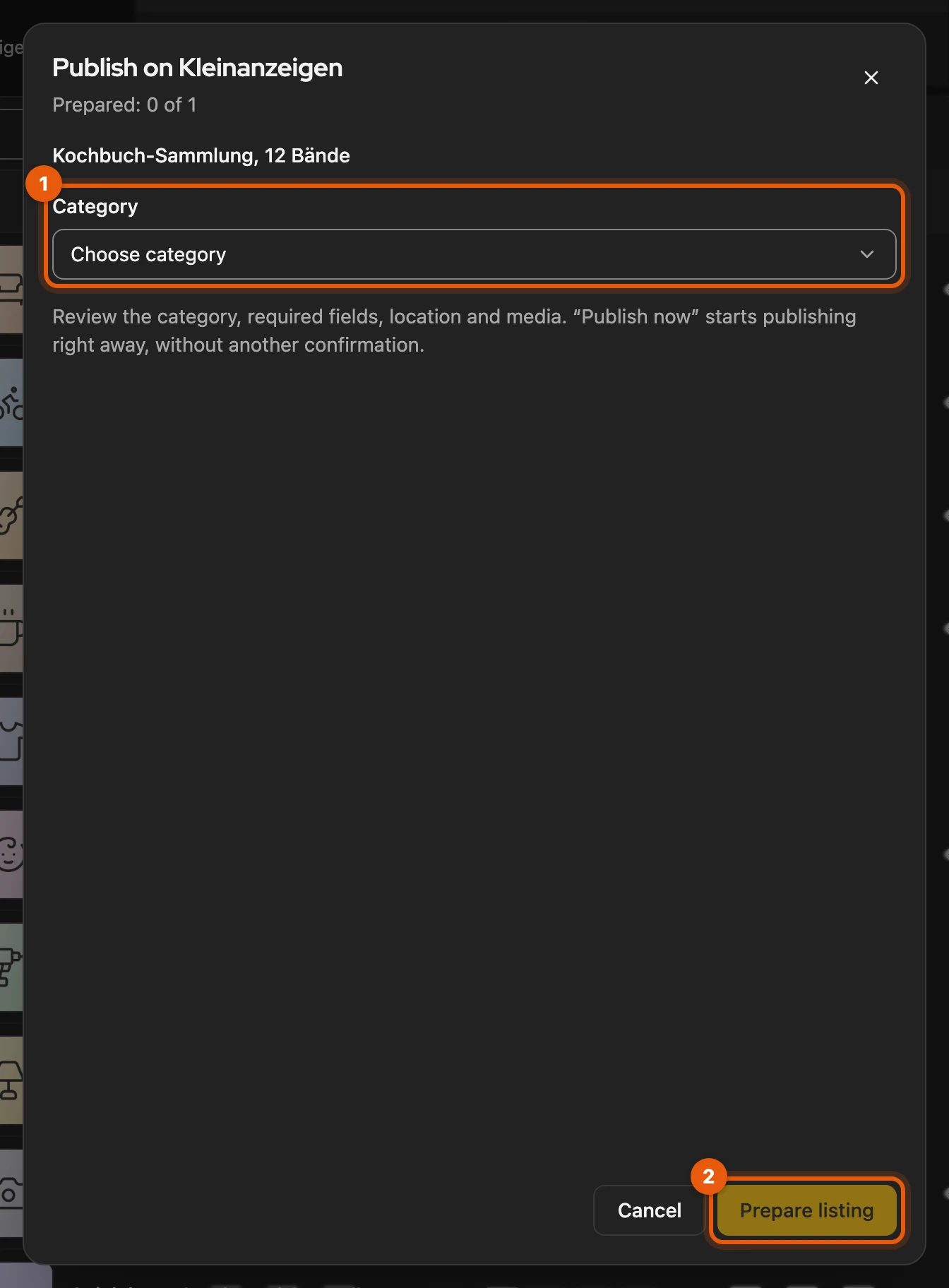
If you have to decide something yourself, such as the category or shipping, Prepare listing opens with the missing details highlighted. If the category is missing, choose it under Choose category (1) and click Prepare listing (2).
More: Which gaps Kleinanzeigen-Enhanced fills itself
- Required attribute such as type or condition: derived from the title, description and attributes or taken from Kleinanzeigen’s suggestion; if nothing fits, “Sonstiges” (other), if offered.
- Place: If your postcode covers several places, your saved place is used, otherwise the one from your Kleinanzeigen profile or the first in the list.
- Pictures: If the item has more than Kleinanzeigen allows, the first ones are used.
- Price: Kleinanzeigen only accepts whole euros; with cents you are told so.
- Category: Kleinanzeigen suggests up to three from the title, the first is already in the field. Search category shortens the list.
- Publish now in Prepare listing starts straight away, without further confirmation.
- Technical error (picture upload, connection): a notice offers Try again.
Publishing via the form
Section titled “Publishing via the form”Open in the Kleinanzeigen form (2 in the first picture) opens the Kleinanzeigen form filled in, in a new tab. Check everything and publish it yourself.
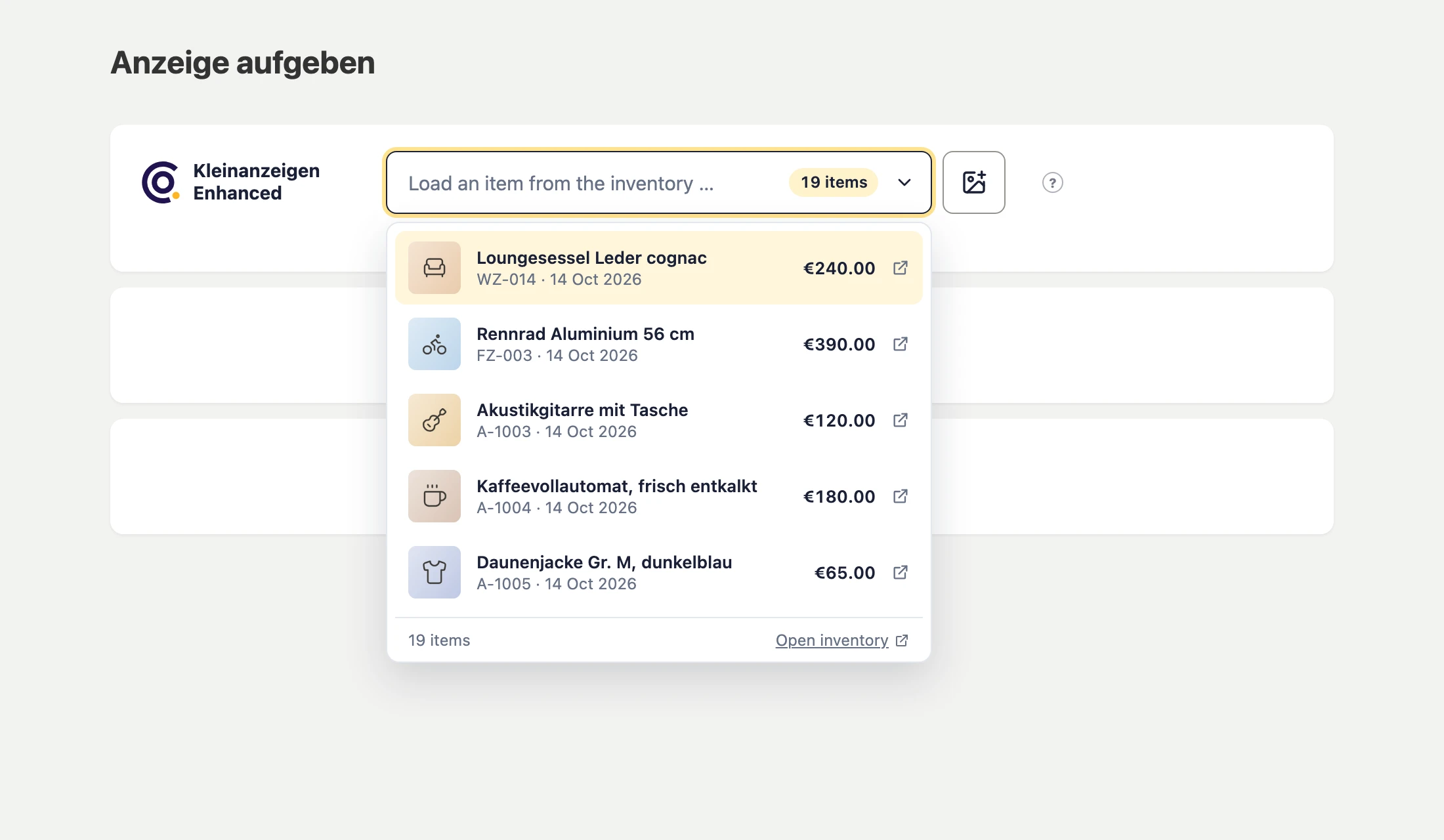
When you post a listing yourself on kleinanzeigen.de, Load an item from the inventory … fills the form. The other way round, Save to inventory at the bottom right saves a filled-in form as an item.
More: Linking, open fields and loading
- Linking: If you leave the title and description as they are, Kleinanzeigen-Enhanced links the new listing with the item on the confirmation page.
- Open required fields: A card at the bottom right names them, for example “Still open: Type”, and Go to the first open field jumps there. If the transfer fails, it offers Try again and Close tab.
- Loading an item: An empty form is filled with text, pictures and PDFs. If you have already entered something or are editing a listing, a new tab opens. Nothing is ever published.
- Same title when saving: You choose Replace item or As another item.
- Switching off: under Settings › On-site panels with Inventory in the listing form.
Publishing several items
Section titled “Publishing several items”-
Select the items in the inventory.
-
Click Publish on Kleinanzeigen in the selection bar.
-
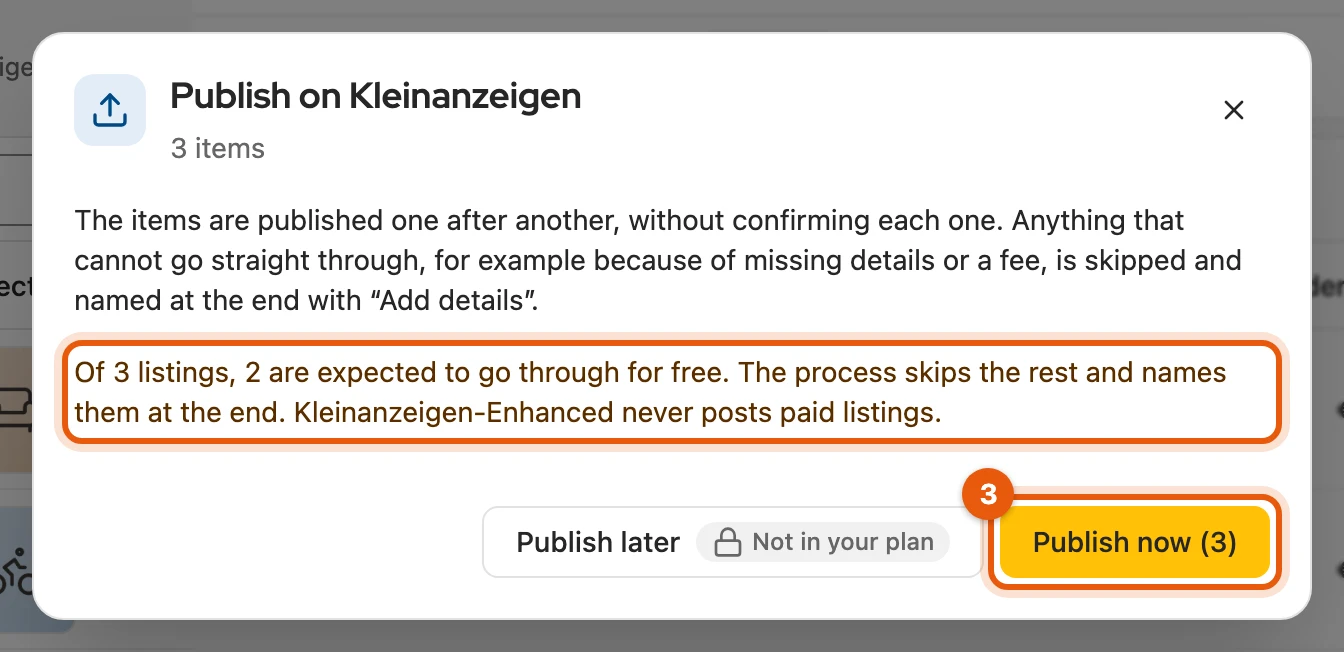
Check the confirmation and start with Publish now. Publish later opens the schedule instead.
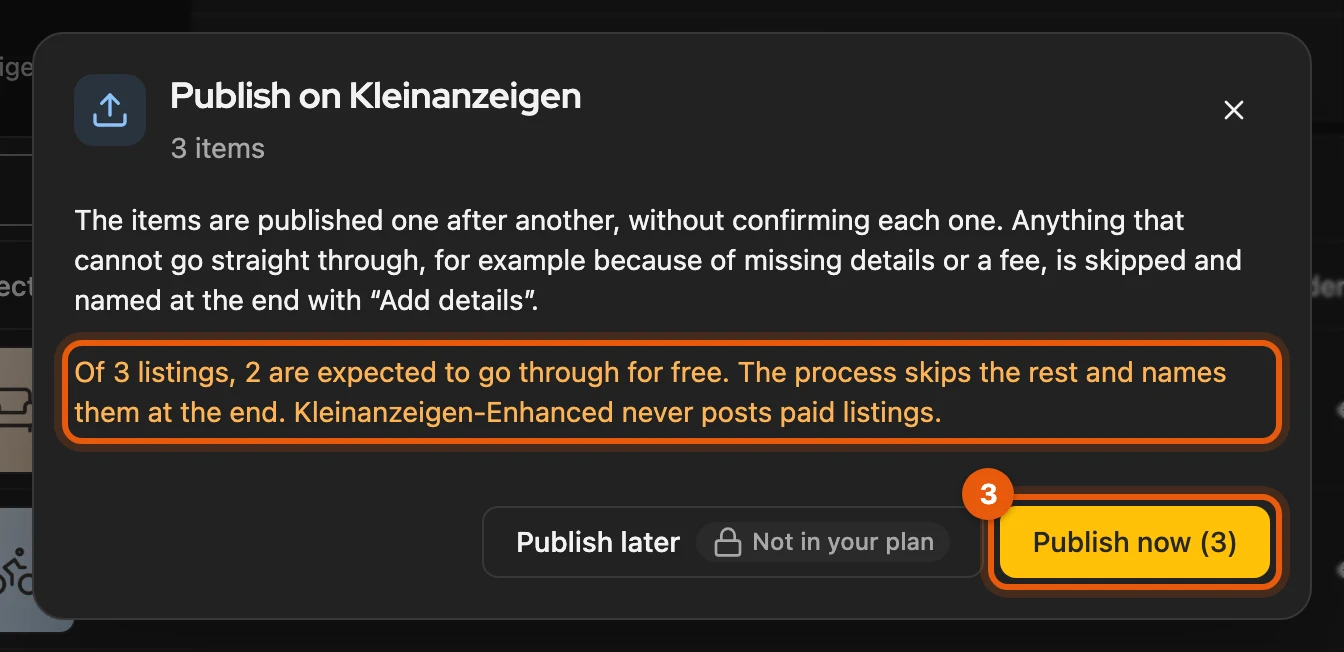
The process runs in the background, even if you close the window. It skips what does not go through directly:
| Case | What happens |
|---|---|
| One item has a problem (category, text too long, fee …) | it is skipped, the rest carries on |
| You are signed out, Kleinanzeigen asks for a pause, delivery unclear | the process stops, Processes names the reason |
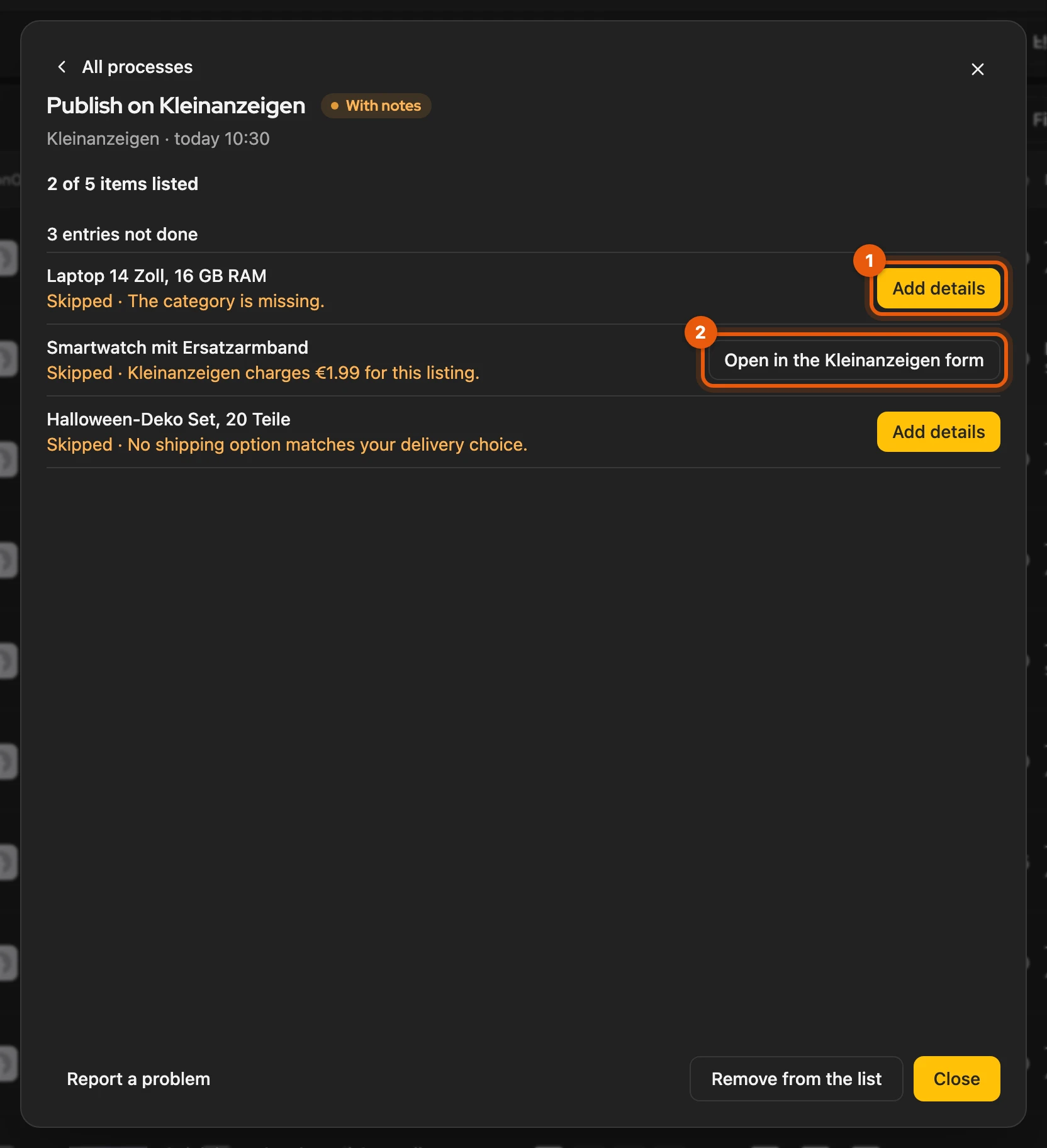
At the end, Add details (1) there opens Prepare listing for skipped items. Where a fee is due, Open in the Kleinanzeigen form (2) appears.
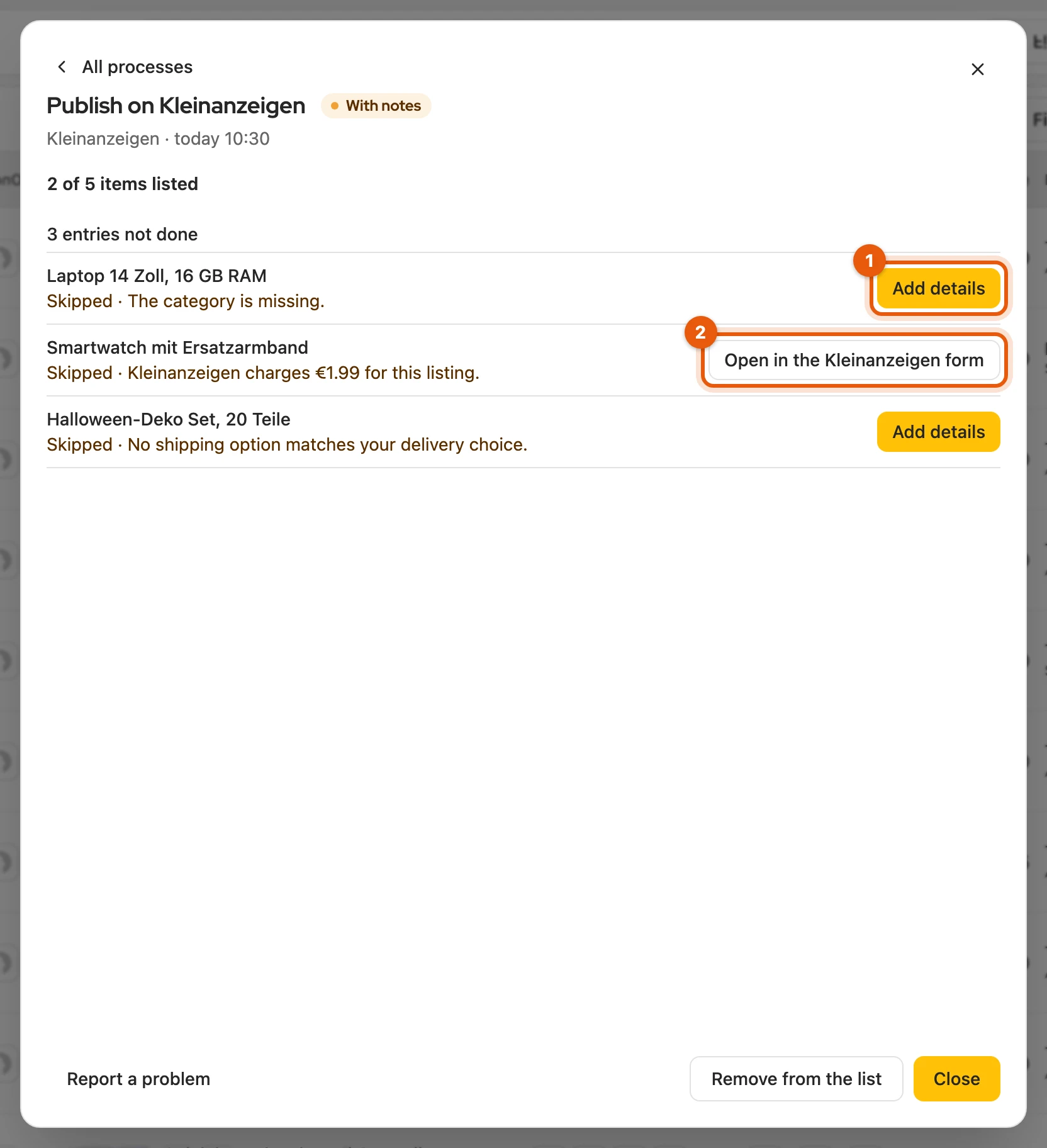
More: Reasons, resuming and the result list
- Confirmation: shows how many listings are expected to go through for free according to the last refresh, for example “Of 87 listings, 37 are expected to go through for free”. It names items that are already online and leaves them out; you publish those one at a time.
- One item selected: the button then publishes without confirmation, like the yellow button.
- Calendar: If your licence does not include it, Publish later carries Not in your plan.
- Reasons for skipping: category missing, a detail you have to choose, text too long (for example “Description is too long (max. 4,000 characters).”), no matching shipping method, a fee or used-up allowance, a picture or PDF that could not be uploaded.
- Pace: one after another with short pauses; Cancel process ends it before the next item.
- Resuming: After signing in with Sign in to Kleinanzeigen, the process continues by itself if it stopped no more than 48 hours ago. Otherwise Try again continues at the same item. Unclear delivery: see When delivery is unclear.
- Result list: Publish the remaining items restarts the rest of an ended process. The list stays until Remove from the list; while items are waiting, the process is under Needs you and stays there even with Clear finished. What you published meanwhile shows as Published since.
Items that are already online
Section titled “Items that are already online”If an item is already online, Publish asks first:
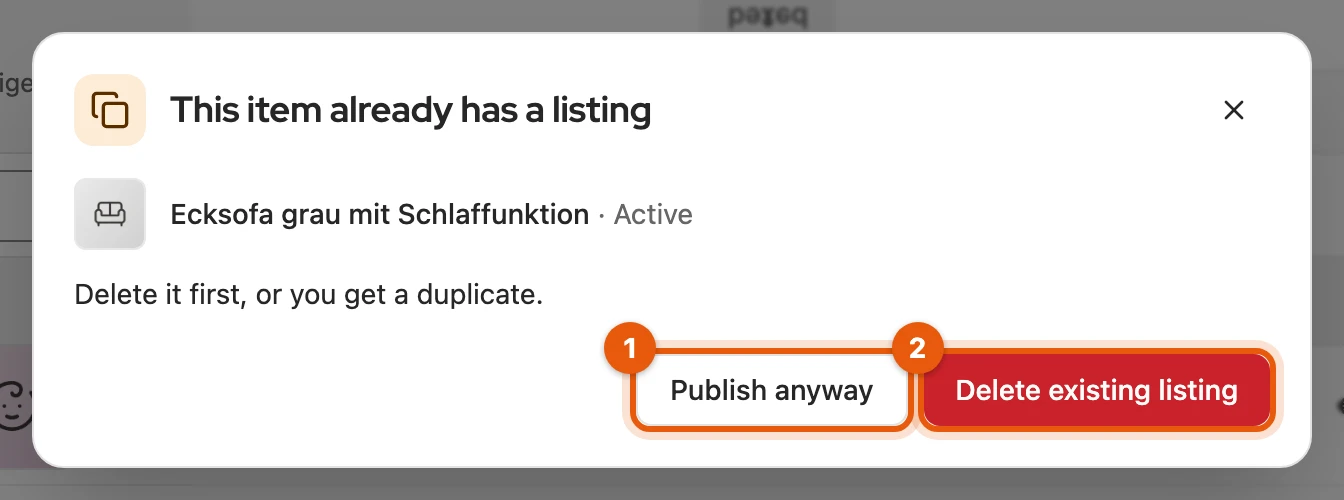
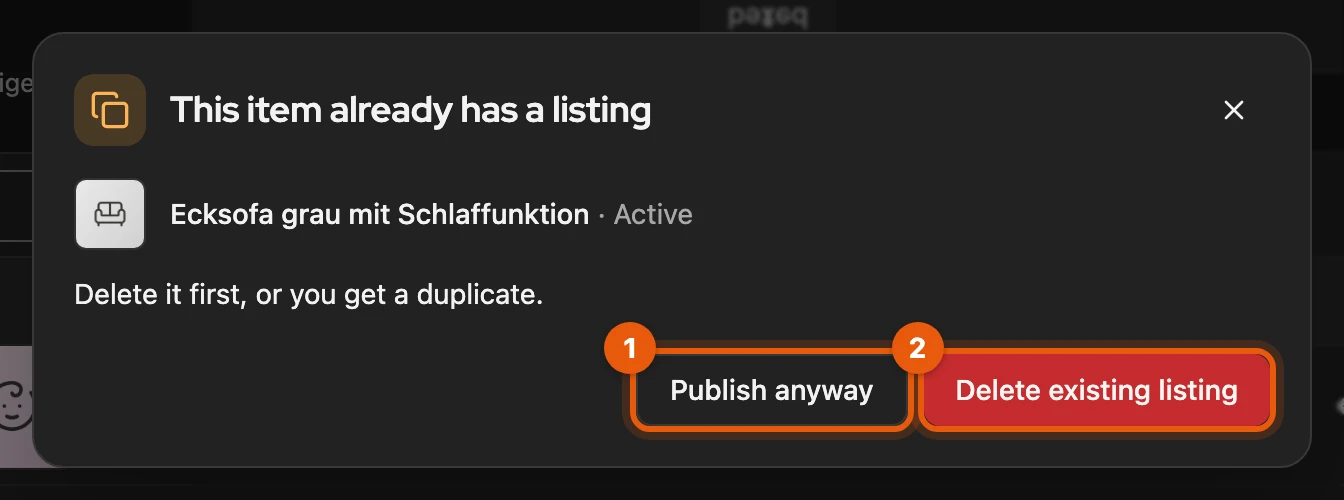
- Publish anyway: the item follows the new listing, the old one stays online.
- Delete existing listing: deletes it on Kleinanzeigen; then click Publish again.
The calendar updates an existing listing and never creates a second one.
Shipping
Section titled “Shipping”Kleinanzeigen-Enhanced uses the shipping methods Kleinanzeigen offers in the form. If none fits, choose Shipping available or Pickup only in Prepare listing, then a parcel size and the carriers.
More: Size, old shipping price and Direkt kaufen
- Commercial accounts only choose between shipping available and pickup only.
- Parcel size: applies to the whole listing, as on Kleinanzeigen.
- Own shipping price on older listings: shows as its own box, stays until you remove it and cannot be chosen anew.
- Direkt kaufen: needs shipping and a price from 1 to 2,000 €; when the switch is locked, the reason is shown next to it.
Allowance and paid listings
Section titled “Allowance and paid listings”How many listings you can post for free is set by Kleinanzeigen, not by your licence; you see your current state under My listings. Kleinanzeigen-Enhanced only publishes for free and never completes a paid order. If Kleinanzeigen charges a fee, you post the listing yourself via Open in the Kleinanzeigen form.
More: What you see for each account
| Account | Notice when publishing |
|---|---|
| Commercial without a package | above the form the free allowance of the area, for example “Goods: 1 of 2 still free, then … per listing”; real estate and jobs have no free listing |
| With a fee | Kleinanzeigen charges … for this listing with the amount Kleinanzeigen states; several items are skipped and the result names the amount |
| PRO package | no fee per listing; if the area is full or not covered, Kleinanzeigen takes no further listing here, only deleting or a bigger package makes room |
- With several items, the areas are shown before the process starts.
- Upgrading your licence does not change the allowance; it only sets how many items your inventory holds. The exception is Commercial listings need a Business licence, see Commercial listings.
When delivery is unclear
Section titled “When delivery is unclear”If it is unclear whether the listing was created, Kleinanzeigen-Enhanced never publishes again by itself. The process stops, and you resolve it under Processes:
- Check again looks for the listing and links it if it was created.
- If it finds nothing, No listing created – continue carries on.
More: Waiting time and similar listings
- Waiting time: Kleinanzeigen sometimes only shows a new listing after a few minutes. If it is still too early, Processes counts down until Check again can tell reliably.
- Similar listing found: If it has the same title but does not exactly match the draft, Processes names its listing ID. If it is yours, enter the ID in Confirmed listing ID on Kleinanzeigen and choose Verify and link listing.
- No listing created: the item counts as not published; you can publish it afterwards as usual.