

Market check and sales plan
The Market check shows you what others ask for your item. From that, the Sales plan suggests price, floor price, platform and timing. Without your click, it changes nothing. Both come with Privat and up and with all Business plans.
Where to find the market check
Section titled “Where to find the market check”In the item on the Market tab, as soon as the item is saved. In the inventory and under My listings, the menu (⋯) of a row starts it. On kleinanzeigen.de it is under “Meine Anzeigen” (Sales agent hints).
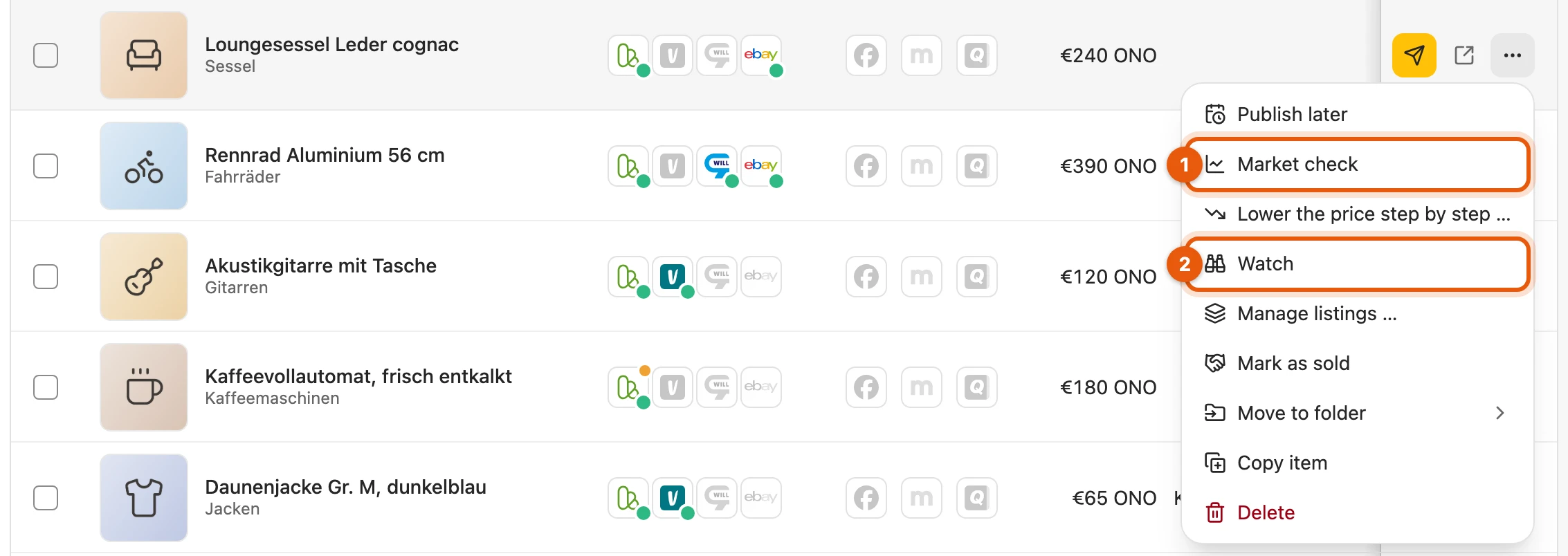
- Market check checks once what others ask.
- Watch checks regularly, see sales agent.
How a market check works
Section titled “How a market check works”- On the Market tab, click Start market check.
- Kleinanzeigen-Enhanced searches Kleinanzeigen and Vinted, in Austria willhaben and Vinted. eBay joins only if you have switched the eBay search on. You can keep working meanwhile.
- Then What others ask shows where your price stands among the offers.
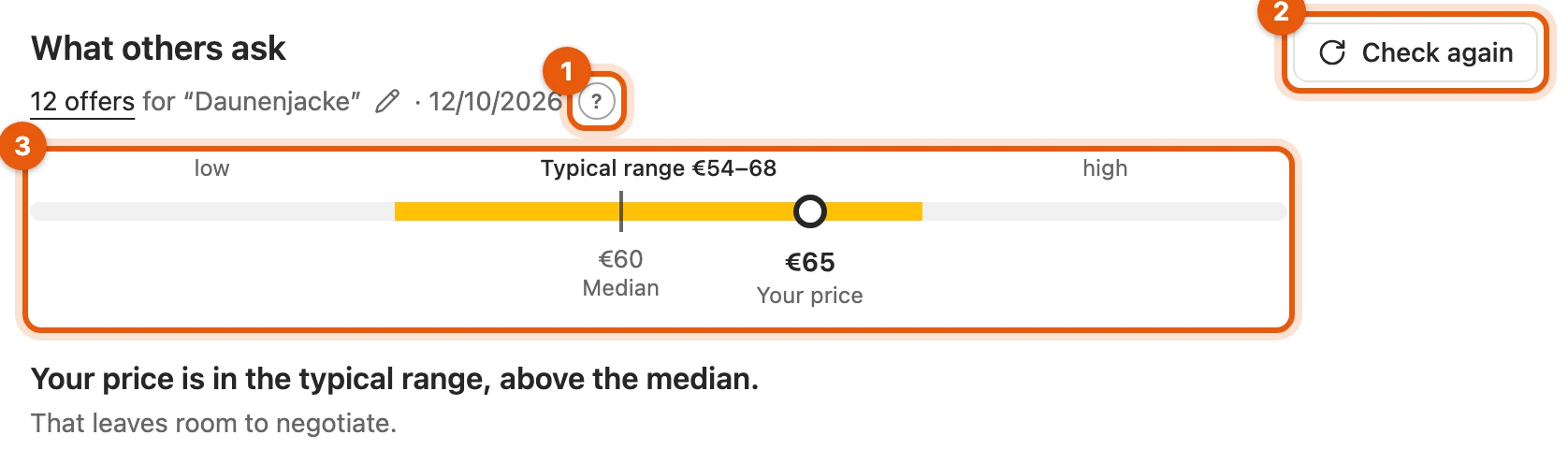
- ? explains the plan, see More behind the “?”.
- Check again searches once more.
- The bar shows where your price stands.
The search uses the item’s product identifier, otherwise brand and model from the title. The trend over weeks is shown by the sales agent when it watches the item (from Privat Plus).
More: how the market check searches
- Platforms: one search each, reading the first page of results. Platforms that do not carry such goods (such as Vinted for furniture, bicycles, cars) are left out. Without the eBay search, Compare on eBay under Look it up yourself opens eBay in a new tab.
- Search words from the product identifier: LEGO with the set number, devices with model and storage (“iPhone 15 Pro 256GB”), otherwise brand and model; on eBay EAN/GTIN with the EAN.
- Without a product identifier: words from the title, without phrases such as “Verkaufe” and without prices. With Classify items automatically, an AI service picks the word sequence, such as “Bose Companion 5”; only the title is sent, and it costs no credits.
- Too few hits: once more with one word fewer; the ⚠ then says “Searched by title words only”.
- Price range: a third to three times your price, in the item’s category.
- Throttling: if a platform slows things down, requests to it pause for a while (Keeping the load in check).
Change the search term
Section titled “Change the search term”If the offers do not fit, set the search words yourself:
- Click the pencil next to the words below What others ask.
- Change them; brand and model are usually enough.
- Click Search. This counts as one market check.
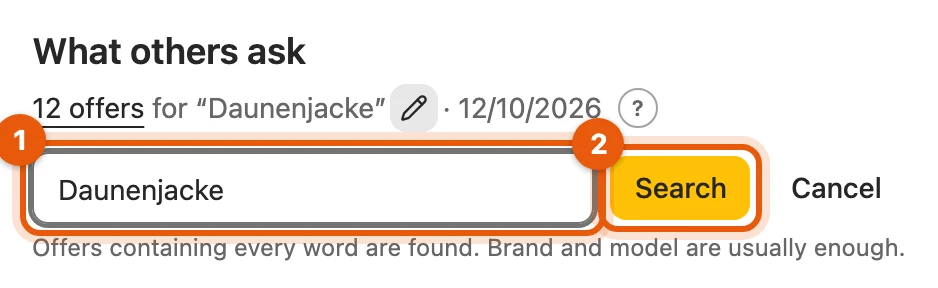
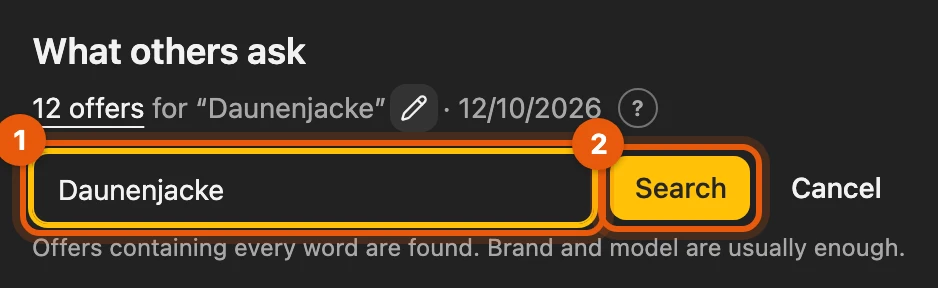
From then on, your search term applies to every market check and to the sales agent, even after a title change, and is searched exactly as it is, without dropping words. Reset searches automatically again; that counts as a market check too.
What counts as a comparable offer
Section titled “What counts as a comparable offer”Only offers with a price in euros that name the same product count. Wanted ads, accessories, defective items, other variants and outliers do not count, unless your own title names them. Where available, product and condition of the most similar offers are checked as well (Privacy); they then carry a grey tick.
More: when an offer counts
| Item | The offer counts if … |
|---|---|
| LEGO set | the title or short description names the set number (“21344”), with no second set number. |
| Device | all model words are in the title; “iPhone 14 Pro” does not match “iPhone 15 Pro”. A different storage size does not count, none given does. |
| Brand and model | the model is in the title or short description; “TM5” does not match “TM6”. |
Never counted:
- Wanted ads, swaps, run lots (“Konvolut”), auctions on eBay
- Accessories (“Hülle für …”, “kompatibel mit …”), for LEGO also display cases, MOC, empty boxes; “iPhone 15 Pro inkl. Hülle” counts
- Defective items and spare parts, unless your item is defective itself
- Items given away, “Preis auf Anfrage” (price on request) and prices outside the range
The additional check uses no credits. If your item names no model, offers of the same kind and brand count there too.
Comparable offers
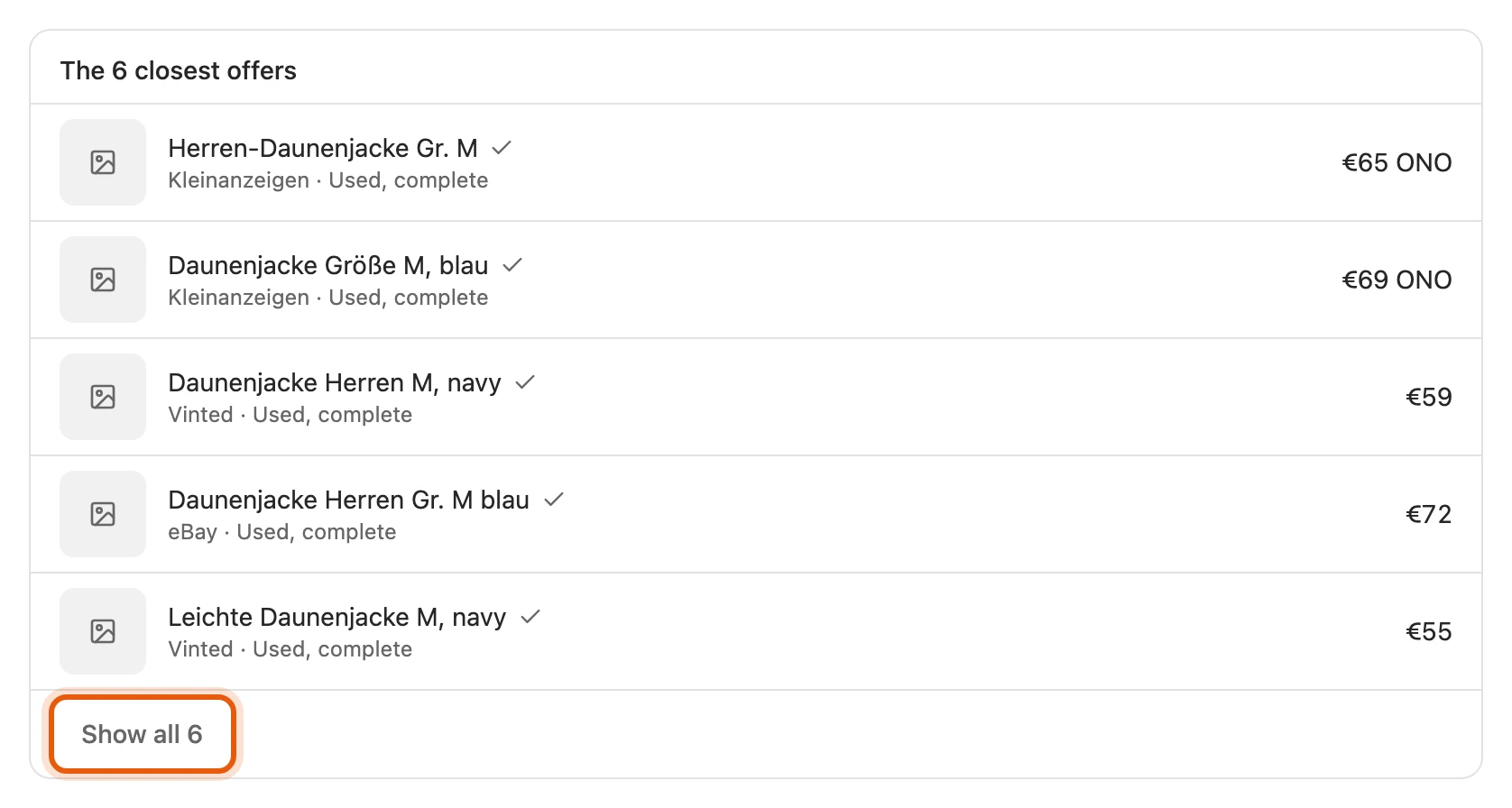
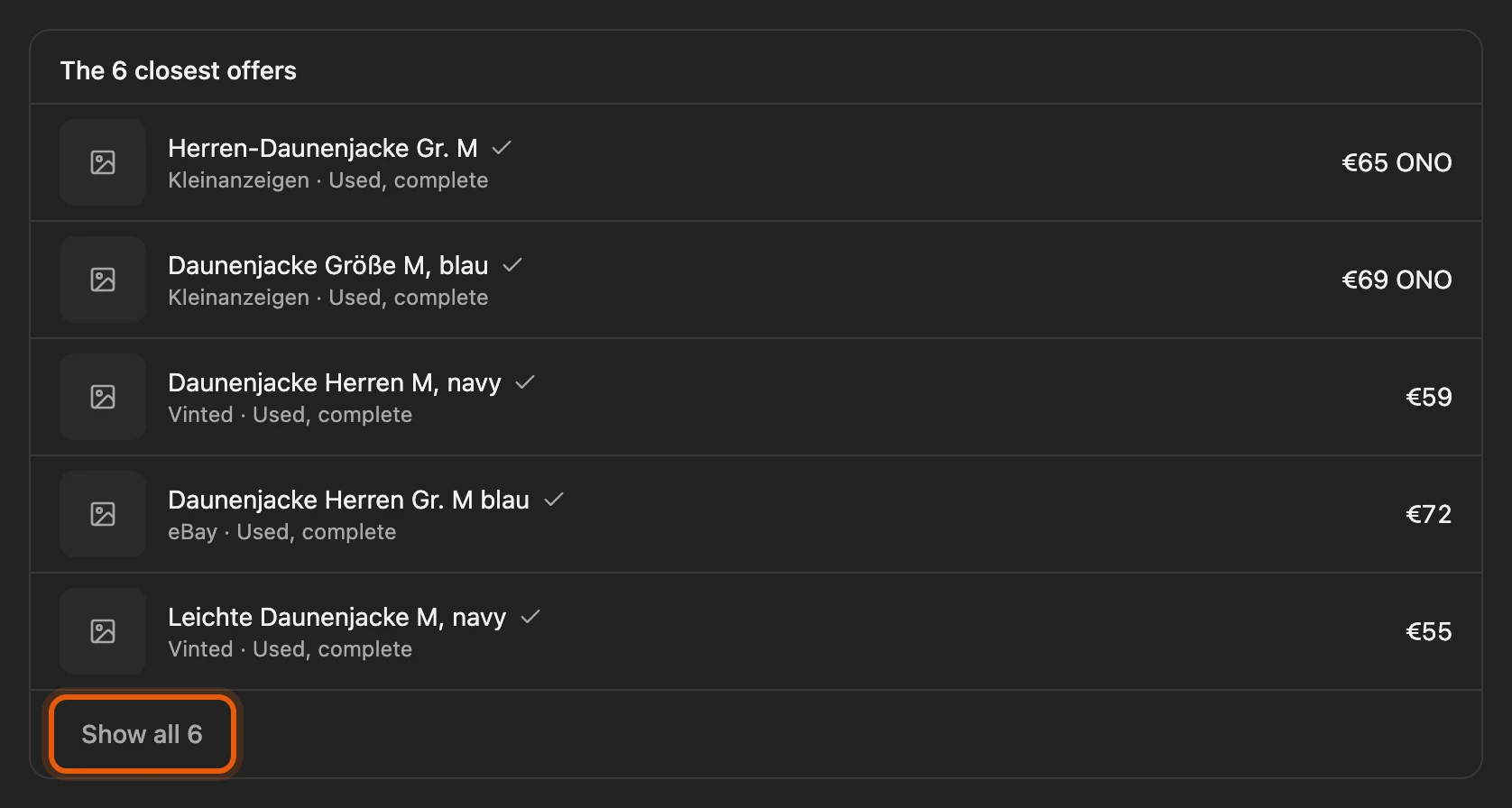
Section titled “Comparable offers”The list below the trend shows the offers the price comes from. Clicking the title opens the offer in a new tab.
More: what the list shows
- Up to 30 most similar offers, without outliers and in your item’s condition once the figures apply to it. So it may show fewer than the plan counts.
- The five closest to your price come first; Show all … expands the rest.
- If the sales agent has searched more recently, its list stands here.
How to read the figures
Section titled “How to read the figures”Offers are not a market value: they are the prices others are asking, not what buyers pay. Half of the offers lie in the typical range; the dot is Your price.
With fewer than 5 comparable offers, it says “Not enough yet for an assessment”; a different search term often helps. A ⚠ means the figures are less precise; a click gives the reason.
More: condition, platforms and Kleinanzeigen’s range
- Example: “Typical range €54–68” means a quarter of the offers is cheaper than €54 and a quarter more expensive than €68. Typical price is the middle asking price.
- Condition: the figures apply to your item’s condition as soon as at least 5 offers name it, otherwise to all conditions.
- Platforms: behind the ⚠ it says how each answered, such as “Vinted: 9 offers read · eBay: paused”.
- Kleinanzeigen’s range: also behind the ⚠, but it does not feed into the plan. It only appears if it fits the offers.
- Home page and sales agent show the same figures until the sales agent searches again.
The sales plan
Section titled “The sales plan”Below the bar it says where your price stands. If the item is not listed yet, the plan suggests a price for your sales goal.
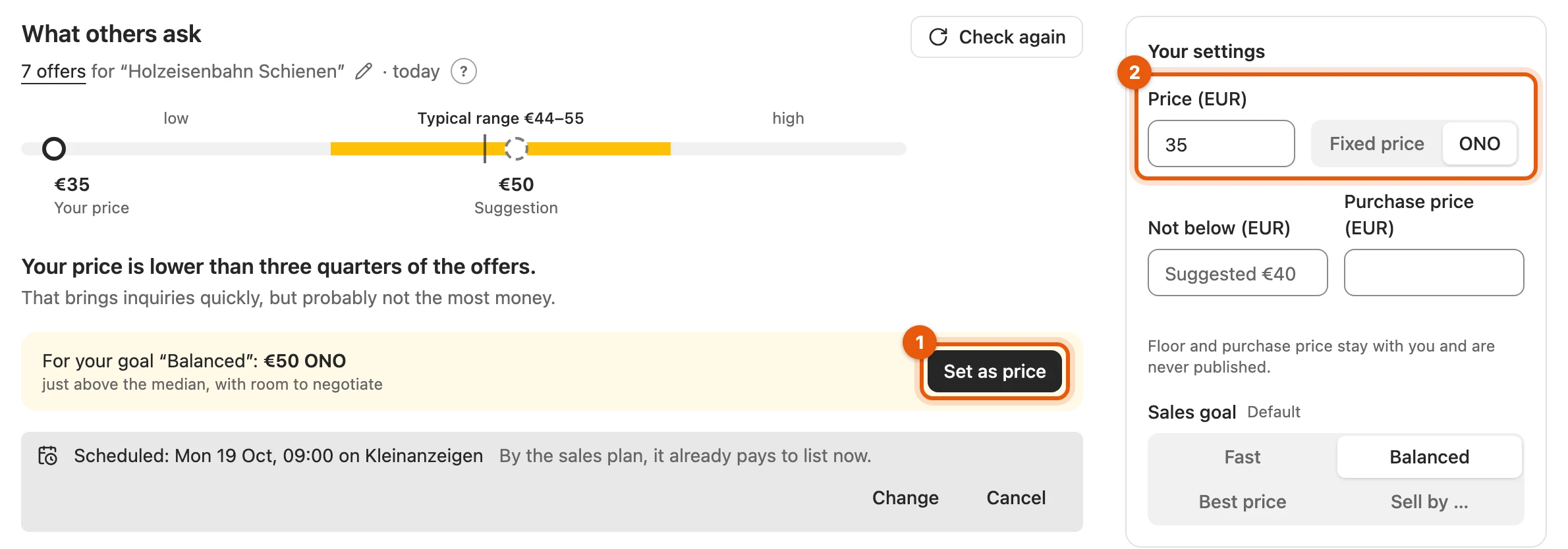
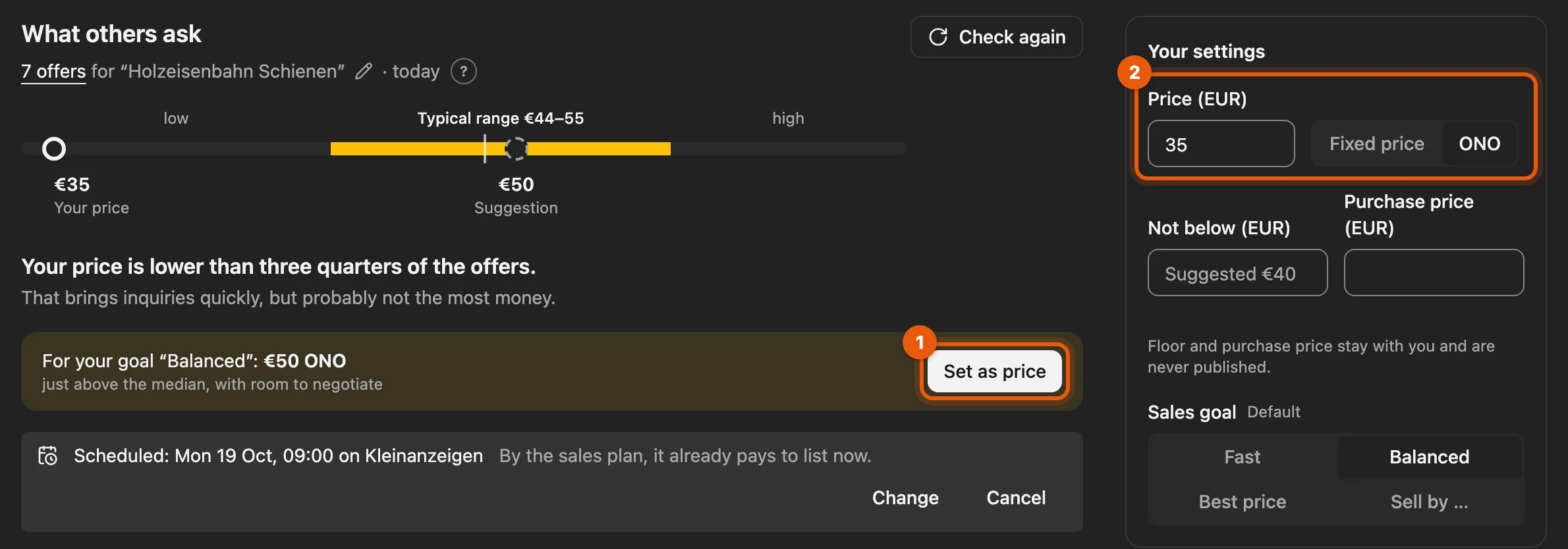
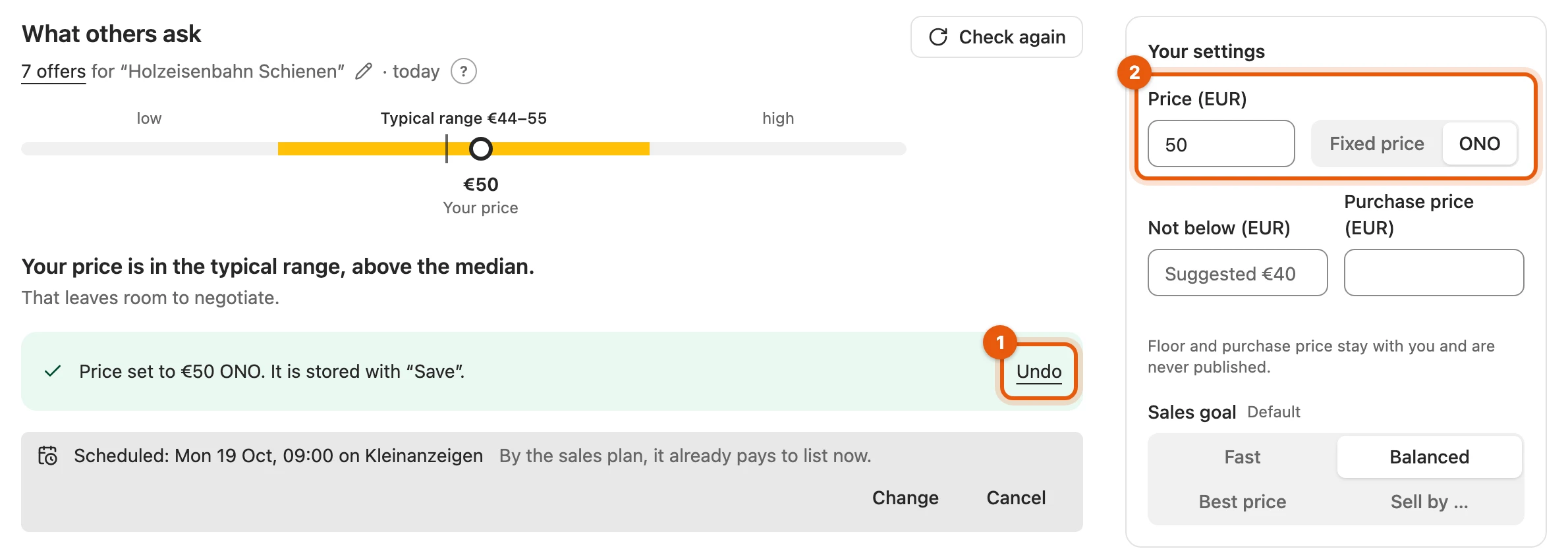
Set as price (1) enters the suggestion in the Price field (2). It is only stored with Save; Undo restores the old price.
If the item is already listed, a price suggestion from the sales agent appears as a question, such as “Lower to €389?”. The button changes the listing directly; Keep price hides the suggestion.
More: the sentence below the bar and suggestions
| Sentence | Your price lies … |
|---|---|
| “… lower than three quarters of the offers.” | below the typical range |
| “… typical, on the low side.” | in the range up to the typical price |
| “… typical, on the high side.” | in the range above the typical price |
| “… higher than three quarters of the offers.” | above the typical range |
- If your price is at most 3 % or €5 off the suggestion, the box is left out.
- Keep price hides the suggestion for 3, 7, 14 or 30 days.
- If you change price, floor price, purchase price or sales goal, the plan recalculates at once, without a new market check. You publish as always with Save and publish.
More behind the “?”
Section titled “More behind the “?””The ? opens How the plan comes about with goal, start price, timing, platform and proceeds.
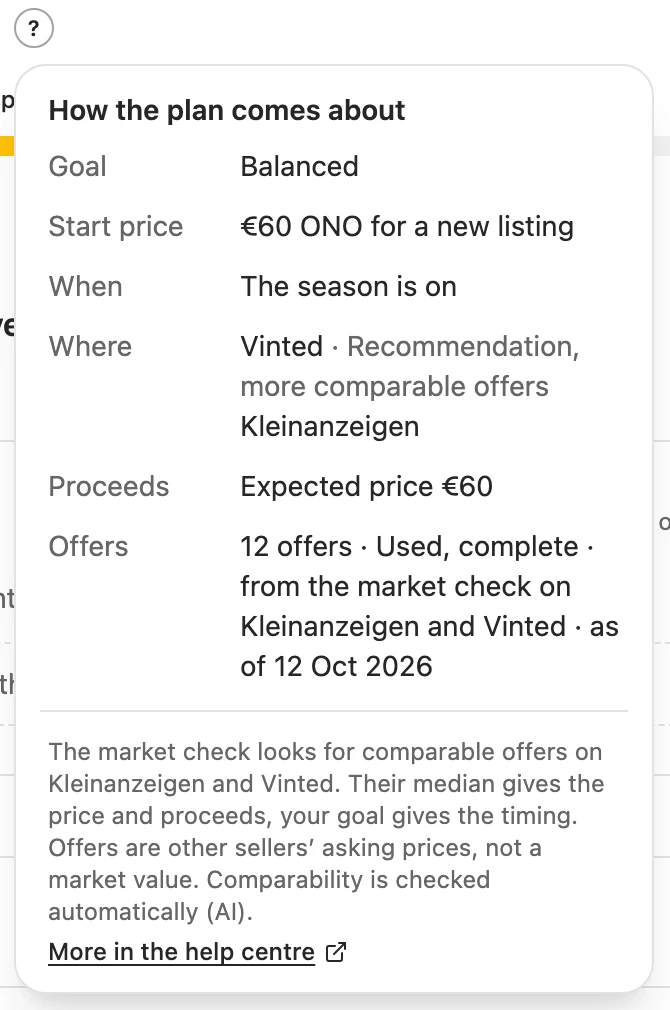
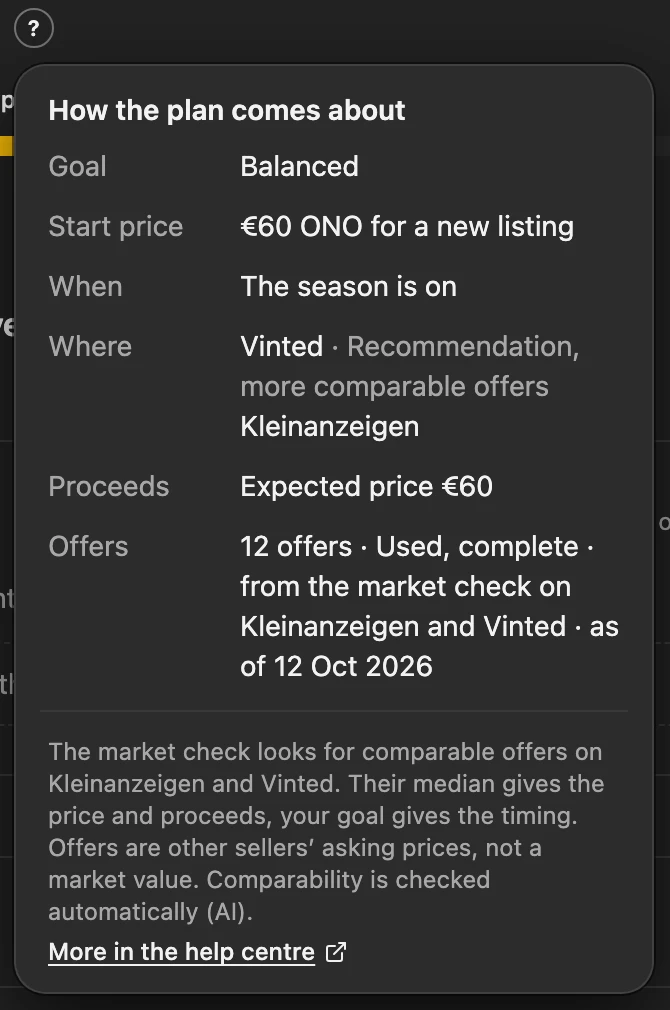
The starting price with ONO leaves room for negotiation. A floor price of your own always applies over the suggestion. Under Where you see up to two platforms with their reasons.
More: how the plan works out price and platform
| Goal | Expected price | Starting price |
|---|---|---|
| Fast | lower edge of the typical range | about 2 % above |
| Balanced | typical price | about 5 % above |
| Best price | upper edge of the typical range | about 5 % above |
| Sell by … | over 30 days like Best price, 8–30 days like Balanced, otherwise like Fast | as there |
- The mark-up leaves room for negotiation. From €20, starting prices end in 9 or 0.
- Not below: lower edge of the range minus 5 %, rounded down. Your own floor price always applies.
- Where, reasons: recommendation (from the inventory), more comparable offers (the most, at least 3), higher asking prices (at least 5 % above), lower fees, pickup (suits Kleinanzeigen and willhaben).
- Notes: electronics from €300 with pickup: hand over safely. Vinted from €300: buyers pay a noticeable fee.
The line about the timing only appears with a reason, such as “Better soon” for loss of value or “Better from …” for the start of the season.
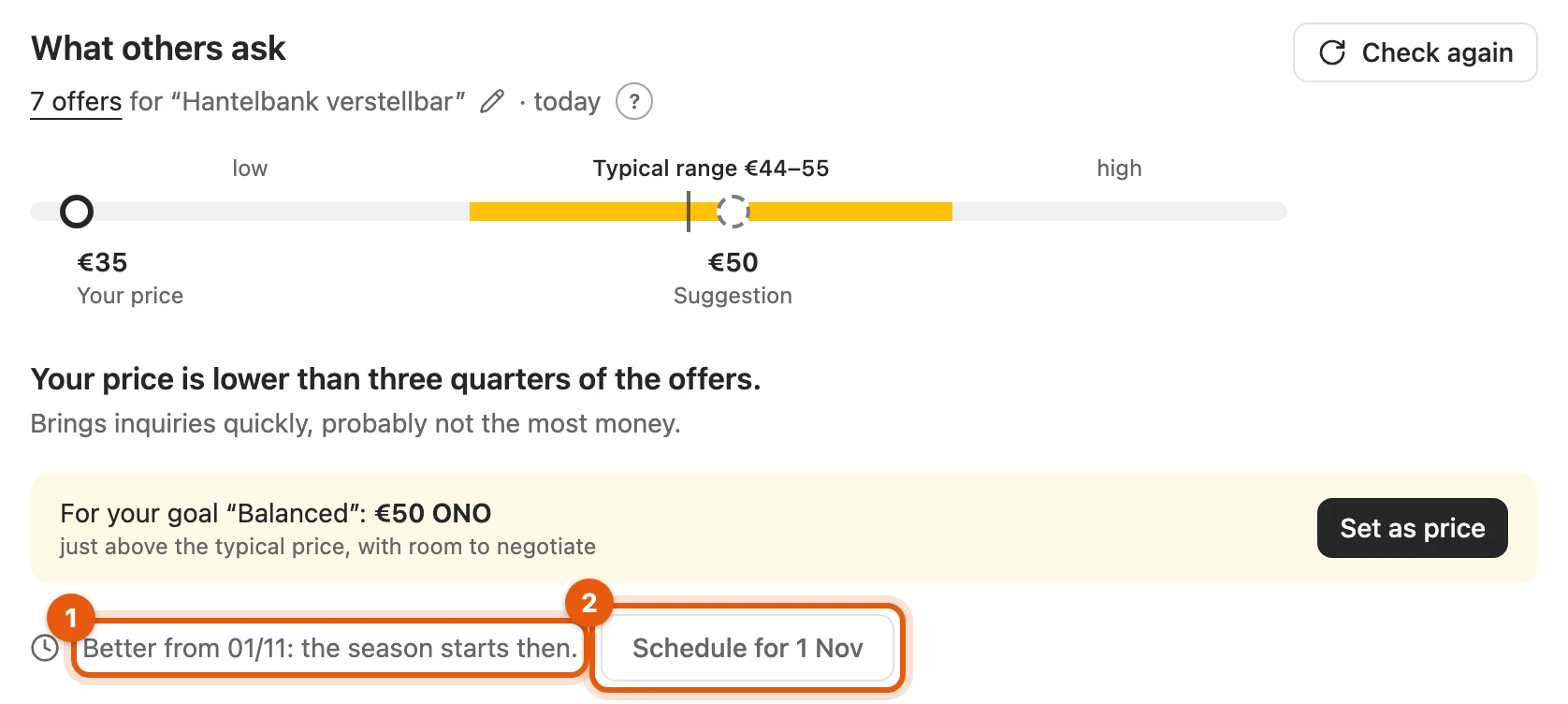
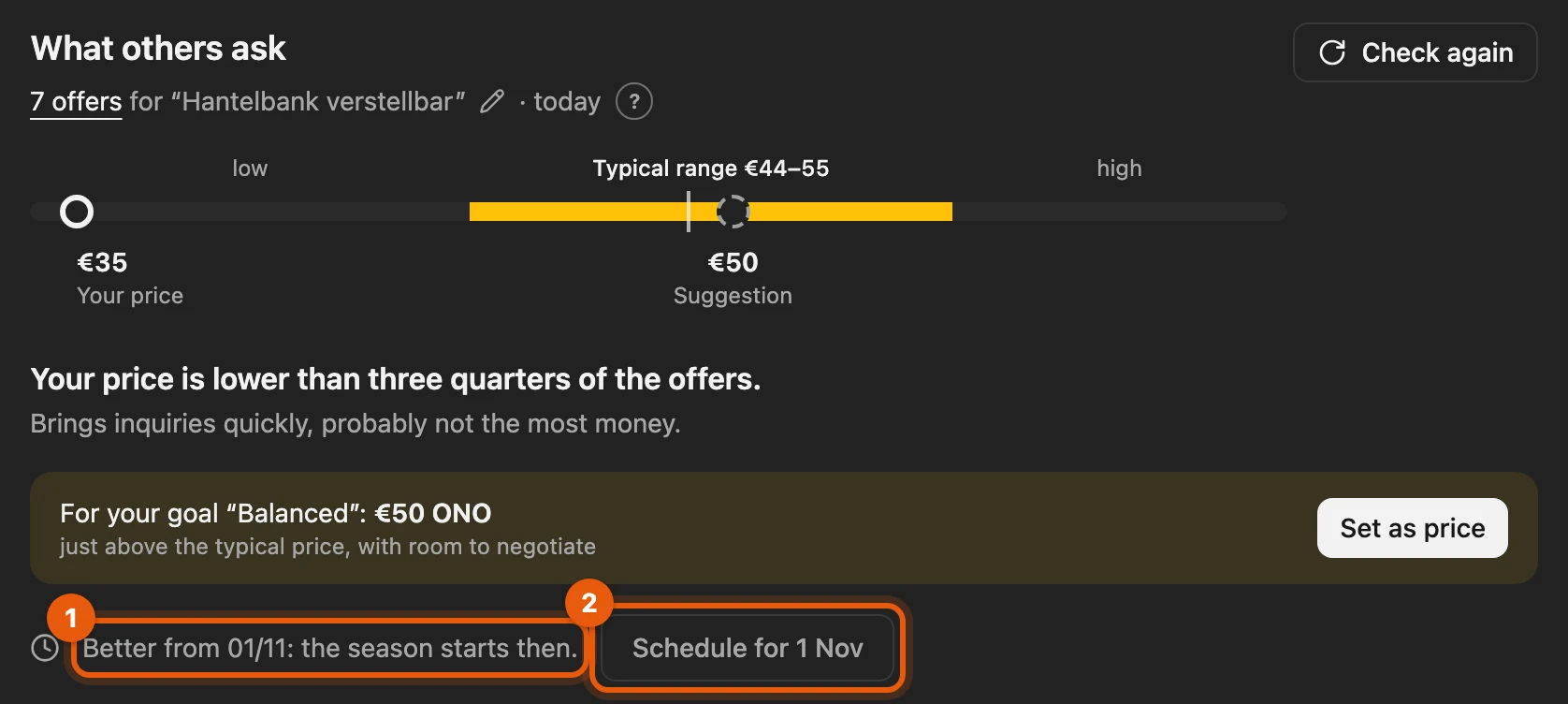
- The line names the day and the reason.
- Schedule for … opens the Publish later dialog in the calendar; without the calendar, Remind me on … sets a reminder.
More: how the plan chooses the timing
| Goal | Timing |
|---|---|
| Fast | now |
| Balanced | now; if the season begins within the next 21 days, on its first day |
| Best price | month with the highest expected proceeds in the next twelve months; an earlier month at most 3 % lower wins |
| Sell by … | before your day, with at least 14 days until then |
- Loss of value: devices such as iPhones, consoles, TVs or tablets: now, for every goal.
- A date is coming up: Apple keynote, Black Friday or end of season within the next 21 days.
- Christmas: for toys and gift items “Sold by 14/12” because of the shipping deadline.
- Schedule uses your buyer hours from Best listing time, otherwise 18:00. Without the calendar in your plan, Schedule shows “Not in your plan”. The calendar publishes at the date, never the tab.
Proceeds
Section titled “Proceeds”Under Proceeds, the ? shows what you keep after fees and shipping, and with a purchase price your profit too. While it is not known whether you sell privately or as a business, it shows “Fees depend on the Kleinanzeigen account”. The platforms set fees themselves.
How many market checks
Section titled “How many market checks”How many market checks you have left this month is shown beside Start market check and on Check again. Only a market check that a platform answered is counted; the counter applies per browser and calendar month. Until 31 March 2027 the launch offer gives you more. Without a plan, from 10 November 2026 there is one market check a month to try it out.
More: how they are counted
- From 80 % the number also appears in the line below What others ask.
- When all are used up, the button is greyed out until the next month.
- Every market check that succeeds replaces the previous one; until then the last one stays visible.
- Without a suitable licence, Market check in the inventory menu carries Not in your plan and opens the price page.


If it does not work
Section titled “If it does not work”- “Paused so the platform does not throttle …”: try again after the time shown.
- “No platform gave a usable answer …”: the row below names the reason for each platform, such as “browser access missing” (“Access missing”).
- “eBay: blocked, paused”: click Open ebay.de once.
- Market checks used up: it continues next month.
Privacy
Section titled “Privacy”The searches run from your browser, and the offers stay there. For the more precise check by an AI model, only titles, product identifier and short descriptions go via our server; we store none of it. Prices, links, locations and sellers are not sent, nor are your floor price and sales goal.