

My listings
Under My listings you see your listings with a separate sub-item for each platform. Add more platforms with Add platform.
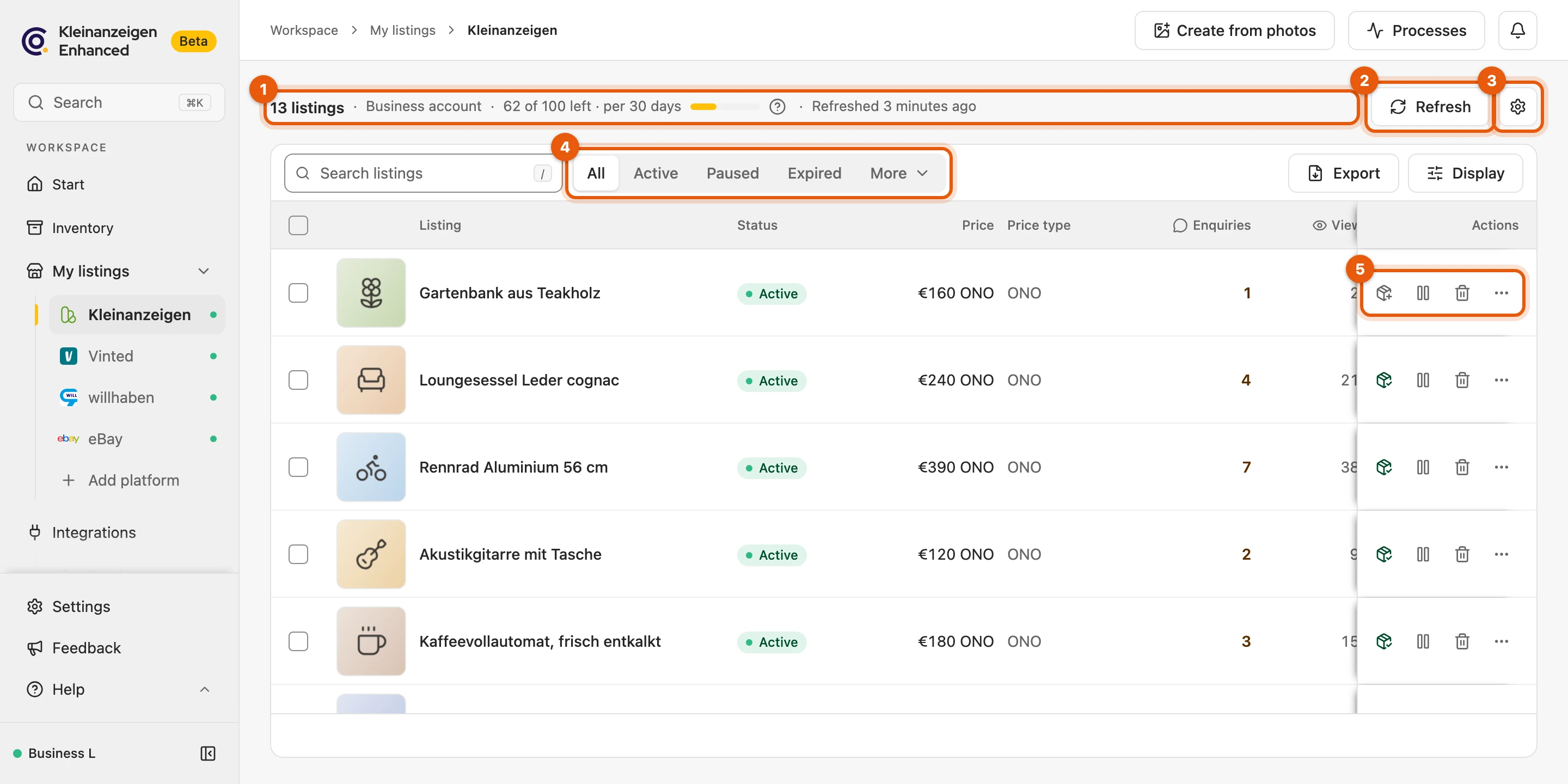
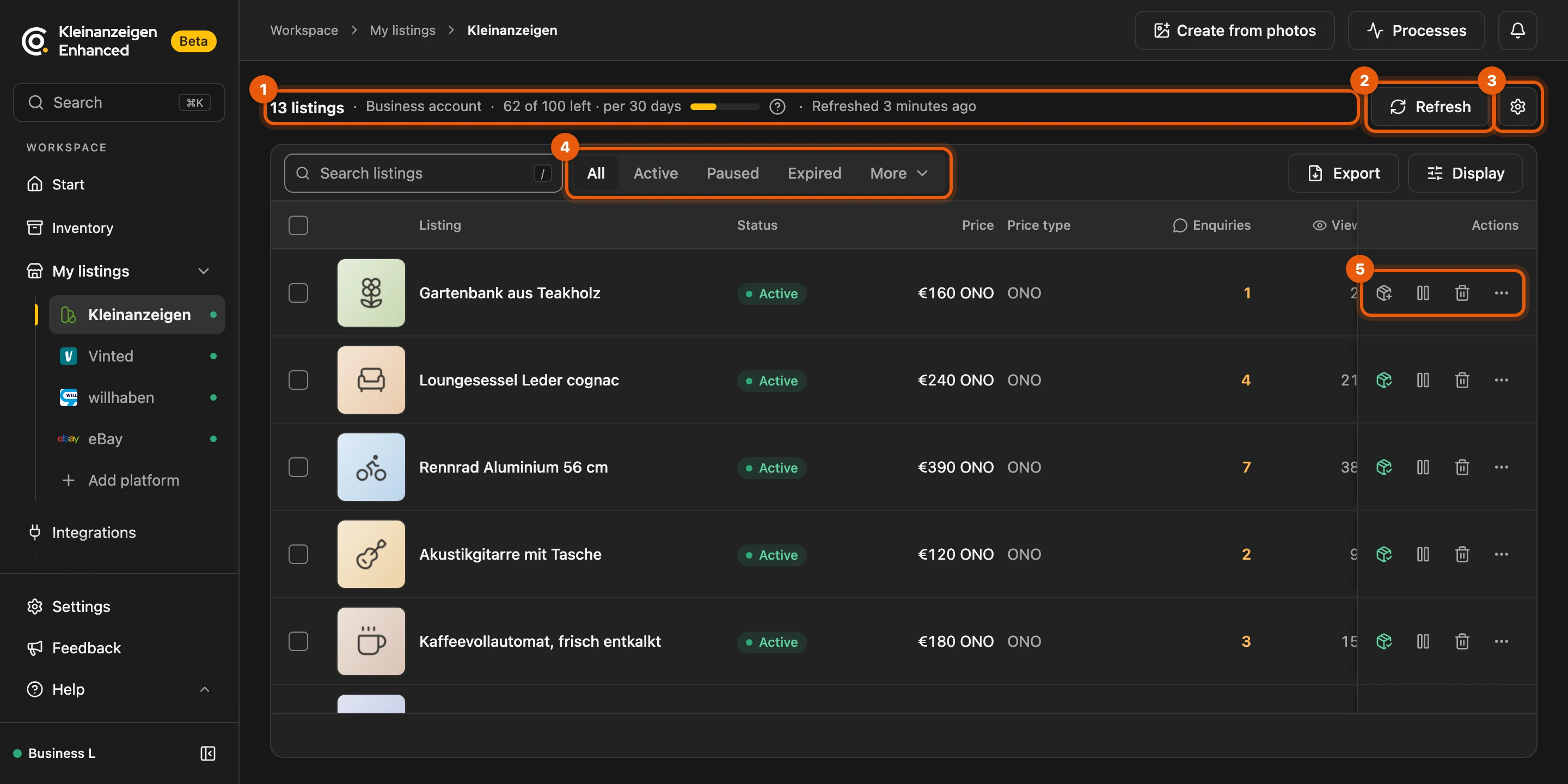
- count, account type, allowance and last refresh
- Refresh
- the gear icon for the platform’s settings
- the statuses, see Filtering listings
- the buttons and the menu (⋯) of a row
More: Which platforms appear here
- Platforms: Kleinanzeigen, Vinted, willhaben, eBay and nebenan.de.
- Shown once you were signed in to it, listings or items with listings of it are stored, or a task runs there.
- Hidden stay unused platforms you deselected under Visible marketplaces.
Refresh
Section titled “Refresh”Kleinanzeigen-Enhanced refreshes your listings when you open the dashboard; Refresh fetches the current state straight away. You need to be signed in to the platform in your browser, otherwise the line above the list says Signed out of … with Sign in.


More: Cached data, empty list and special cases
- Cached data: Data less than two hours old is reused when you open the dashboard. While you are signed out your listings stay visible as of the last refresh; when you come back after signing in, Kleinanzeigen-Enhanced checks again by itself.
- No listings yet: The page shows the next step: Sign in to … with Open …, on eBay Connect to eBay, otherwise Go to inventory. Listings you create directly on the platform appear after the next refresh.
- willhaben suddenly reports none: this is only accepted once a second query at least 30 minutes later gives the same result; until then it shows willhaben unreachable.
- nebenan.de: offers load with your browser sign-in; if one is missing later, its last state is kept (that proves neither a sale nor a deletion). You edit and publish directly on nebenan.de (Open nebenan.de).
Filtering listings and choosing the display
Section titled “Filtering listings and choosing the display”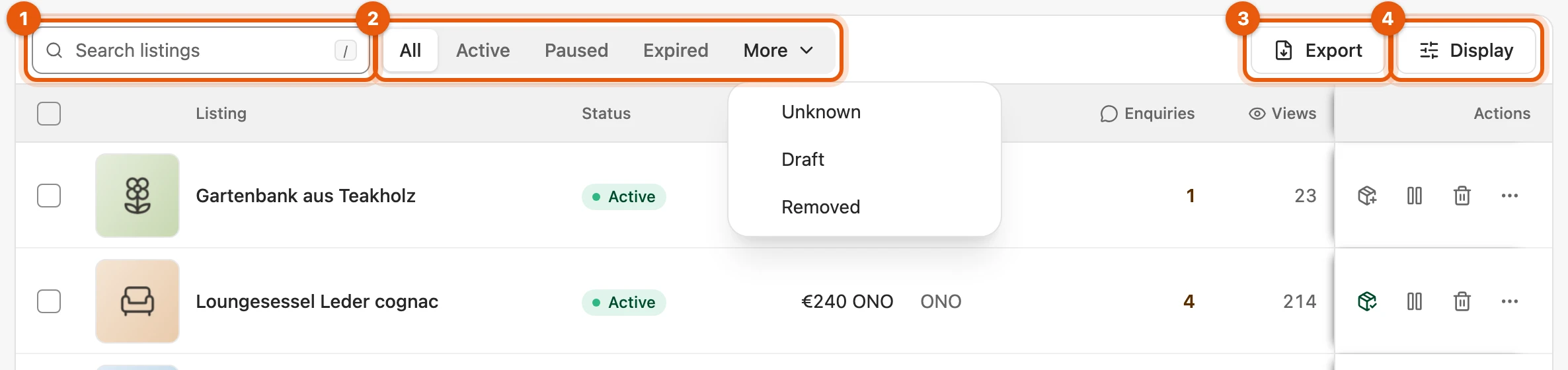
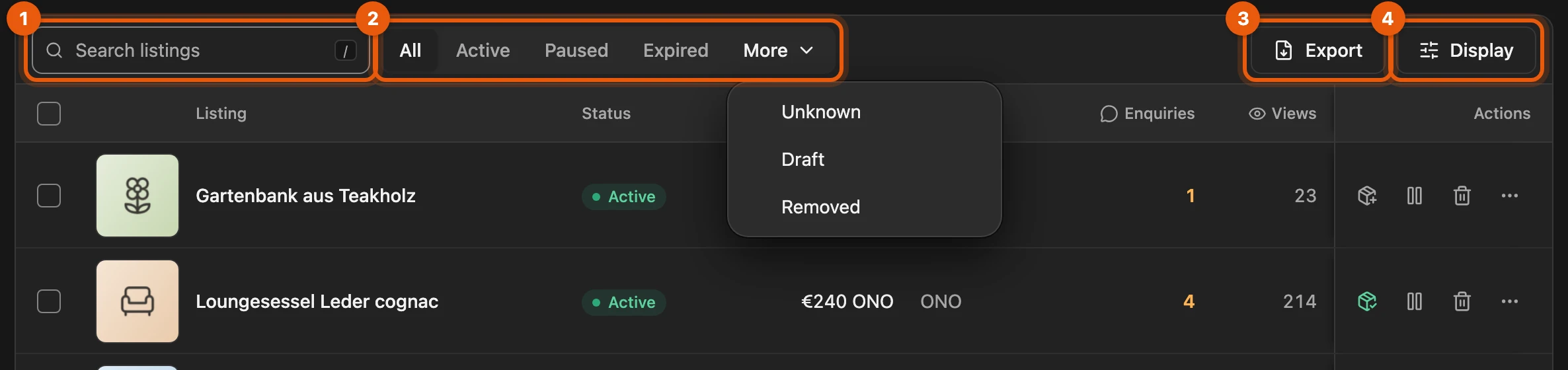
- the search field; press / to jump into it
- the statuses; rare ones and your Kleinanzeigen drafts are under More
- Export as a CSV or Excel file (from the Privat licence)
- Display with row height and columns
More: Statuses per platform, search, export and columns
- Other platforms: Vinted and willhaben also have Sold; eBay has Sold instead of Paused and Scheduled and Unknown under More. You save drafts to the inventory like a listing.
- Search: title, listing ID, status, category, location, price, price type (such as “ONO”, or nearest offer) and the title of the linked item; all words you enter must appear.
- Export: the selected listings or, without a selection, all that match search and status, with all columns including Views, Watchers, Enquiries and the link.
- Columns: what a platform does not supply is hidden at first: Enquiries on Vinted, willhaben and eBay, Created and Ends on Vinted, Watchers and Category on willhaben. The row height applies to all lists with pictures.
- Keep the title in place when scrolling sideways: Settings › General › Advanced › Tables › Keep the title in place when scrolling sideways.
- From the global search a Listing ID filter appears above the list; the ✕ shows all again, Return to global search takes you back.
- Unknown: Kleinanzeigen-Enhanced does not know this platform status yet; below it you see what is known, for example Reserved.
- In review for …: The platform is still checking the listing; do not edit it meanwhile, as that may restart the check. If it goes online after a longer check, the bell tells you.
- Hidden by Vinted: Vinted itself removed the listing from its catalogue; the reason and whether it returns you sort out directly with Vinted.
Editing a listing
Section titled “Editing a listing”Clicking a Kleinanzeigen or willhaben listing opens Edit listing, laid out like Edit item. Save on Kleinanzeigen saves directly on the platform.
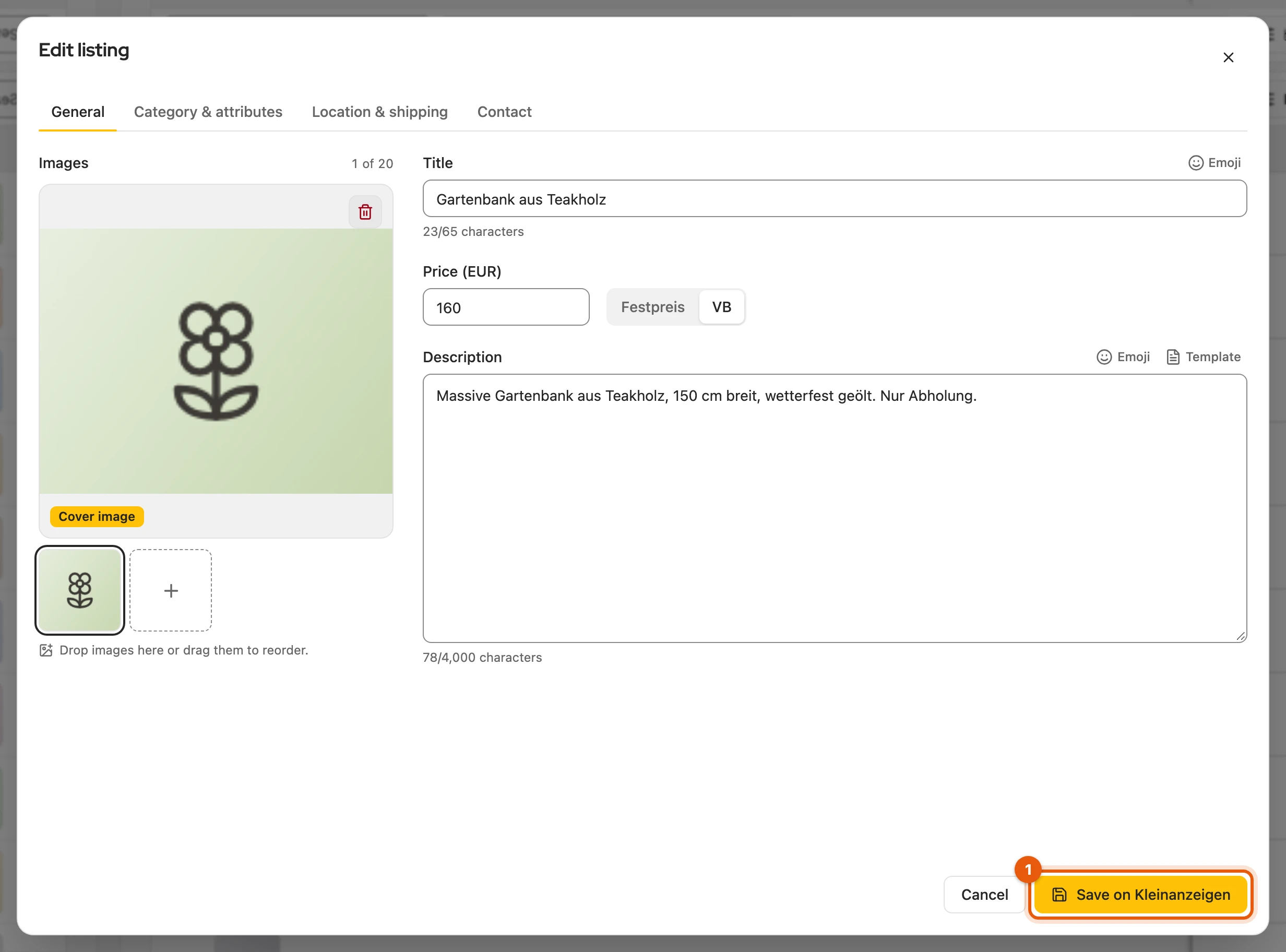
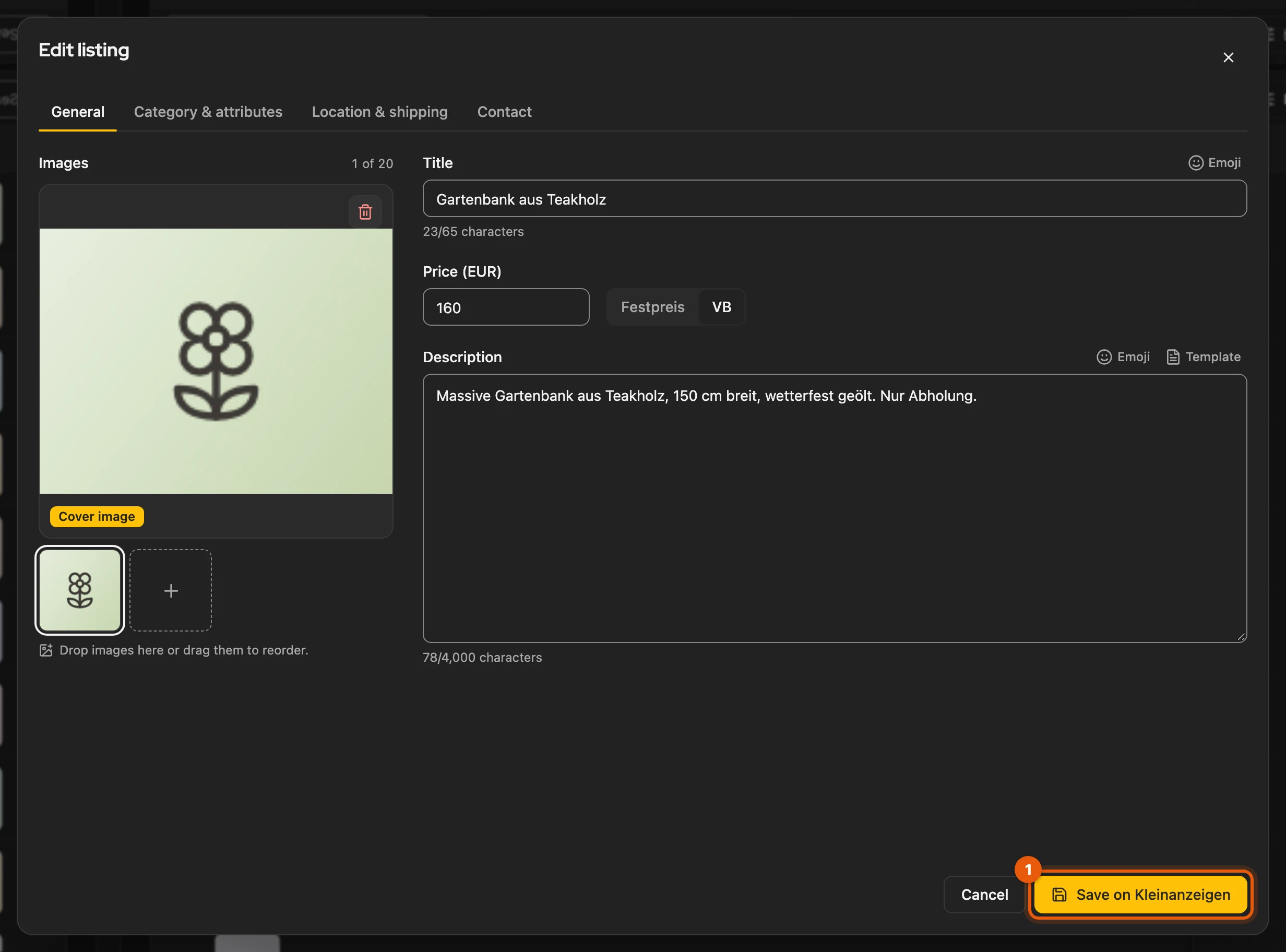
Changes that would cost money on Kleinanzeigen you make directly there. Commercial listings on an account with a package can only be edited with a Business licence, see Commercial listings.
More: The dialog on Kleinanzeigen and willhaben
- Kleinanzeigen: the images on the left, which you sort by dragging, title, price and description on the right, plus the tabs Category & attributes, Location & shipping and Contact.
- willhaben (private accounts in the marketplace): images, title, price with cents, description and attributes. willhaben keeps the category, location and contact, so those tabs are missing. Save on willhaben sends directly; willhaben then checks the listing for a few seconds.
- Without a Business licence the dialog shows Commercial listings need a Business licence straight away for commercial package listings.
Buttons in the row
Section titled “Buttons in the row”

- Save to inventory; green if the listing is already linked
- Pause or Activate
- Delete, on eBay End
- the menu (⋯), see below
- Transfer to another platform, see Import listings into the inventory
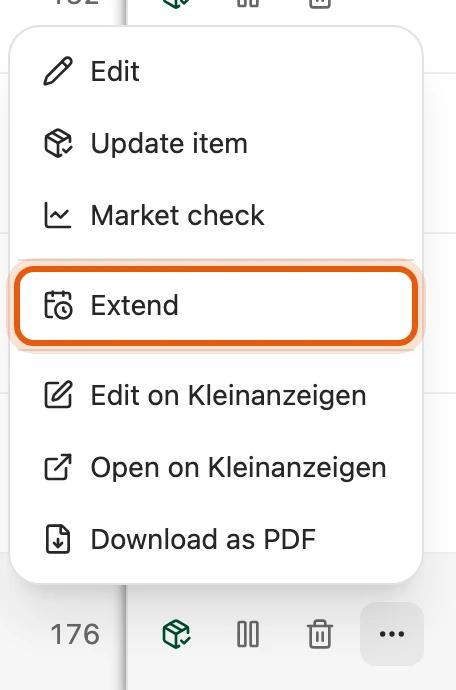
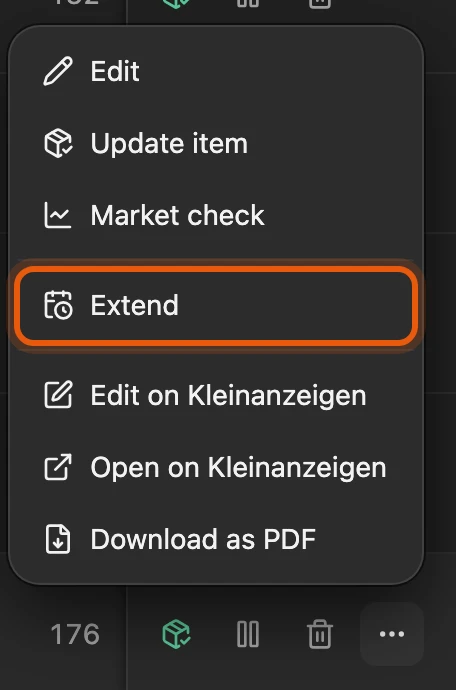
Anything a platform cannot do stays greyed out.
More: What each platform can do
| Platform | What works |
|---|---|
| Kleinanzeigen | Activate, Pause, Extend, Delete; while a listing is In review (for example right after posting), only Delete |
| Vinted | Pause hides, Activate shows again, Delete also removes drafts; items Vinted itself hid can only be deleted |
| willhaben | Pause deactivates, Activate turns it back on within its runtime, Delete also for expired listings and drafts; in the menu Reserve and Release reservation; expired ones you activate directly on willhaben |
| eBay | End ends a fixed-price listing at once, auctions you end on eBay; no pause; list again with the eBay logo in the inventory (new item number, stays linked) |
| nebenan.de | change and delete directly on nebenan.de |
- Commercial without a package: Kleinanzeigen charges as much for each extension as for a new listing. Kleinanzeigen-Enhanced does not extend or activate there; you do that directly on Kleinanzeigen. PRO listings do not expire, private accounts extend for free.
- Transfer: If the item is already online on the target platform, the logo shows a status dot and opens the listing. Behind the divider are Facebook, markt.de and Quoka, see form only.
- Menu (⋯): without a linked item it shows Link to item instead of Update item and no Market check. The PDF (Kleinanzeigen only) is created on your device.
- Delete asks Delete listing permanently? with Delete permanently; a linked item stays in the inventory.
- willhaben in Firefox: Kleinanzeigen-Enhanced briefly opens a background tab for the actions.
Several listings at once
Section titled “Several listings at once”Select listings, with Shift also a whole range. Each button in the bar names how many listings it fits, for example Pause (12); the others stay untouched. You follow the progress under Processes and can close the dashboard meanwhile.


From two listings on these are bulk actions (from Privat Plus and Business M); you change single listings with any licence.
More: Plan, selection and process
- Actions per platform: Kleinanzeigen Activate, Pause, Extend, Change price …, Change fields …, Save to inventory, Delete; Vinted and willhaben Activate, Pause, Delete, Change price … and saving to the inventory; eBay End and saving; nebenan.de only saving.
- Plan: Bulk actions need you to be signed in and are included from Privat Plus and Business M, during the beta in all Privat and Business plans from Version 5. Without them, from two listings the bar shows “Bulk actions are not in your plan.” with See plans (or Sign in); Save to inventory stays available, and so does a single listing.
- Account with a package (PRO or real estate): Activate, Pause, Extend and Delete as bulk actions need a Business licence; individually via the menu they work.
- Selection: kept when you change the search term; the bar counts along, for example “5 listings selected, 2 of them outside the search”, and the action applies to those too. Switching the status clears the selection.
- Delete: beforehand you see the listings and how many cannot be deleted.
- Pace: a few seconds between two listings and a longer pause at regular intervals, which keeps your account inconspicuous. Only one such process runs at a time.
- While a process is open, even a stopped one, the listings of that platform cannot be selected. The foot of the list shows the state, for example “Extend is running · 12 of 50”; View opens the process.
- Result under Processes: the count at the top, for example “12 of 14 listings paused”, below it only what did not work, with the reason.
Changing fields
Section titled “Changing fields”Change fields … is laid out like Edit multiple items in the inventory. Preview shows beforehand what will change; listings that do not fit are shown with Not applicable, will be skipped.
More: Tabs, search and replace, shipping
- Tabs: Price & texts, Category & attributes, Images and Shipping & contact (private: Shipping & location). The price changes by %, by € or as a New price.
- Attributes depend on the category; load the categories of the selection for them.
- Search and replace: a search term with a space at the start or end also finds text at the start or end of a line, for example a line added with Append at the end. If you replace a whole line with nothing, it disappears with its line break.
- Shipping: Keep leaves it as it is. Change replaces it with Shipping available with parcel size and carriers, or Pickup only; if a carrier is missing in a listing’s category, that listing keeps its shipping.
- Direkt kaufen: Keep, On or Off; only with shipping and from €1 to €2,000.
- Commercial listings on an account with a package need a Business licence for this.
Product safety and warranty
Section titled “Product safety and warranty”On a commercial account you set the warranty, manufacturer and warnings for all selected listings in Change fields … on the Category & attributes tab. Defaults for new listings are under Product safety & warranty.
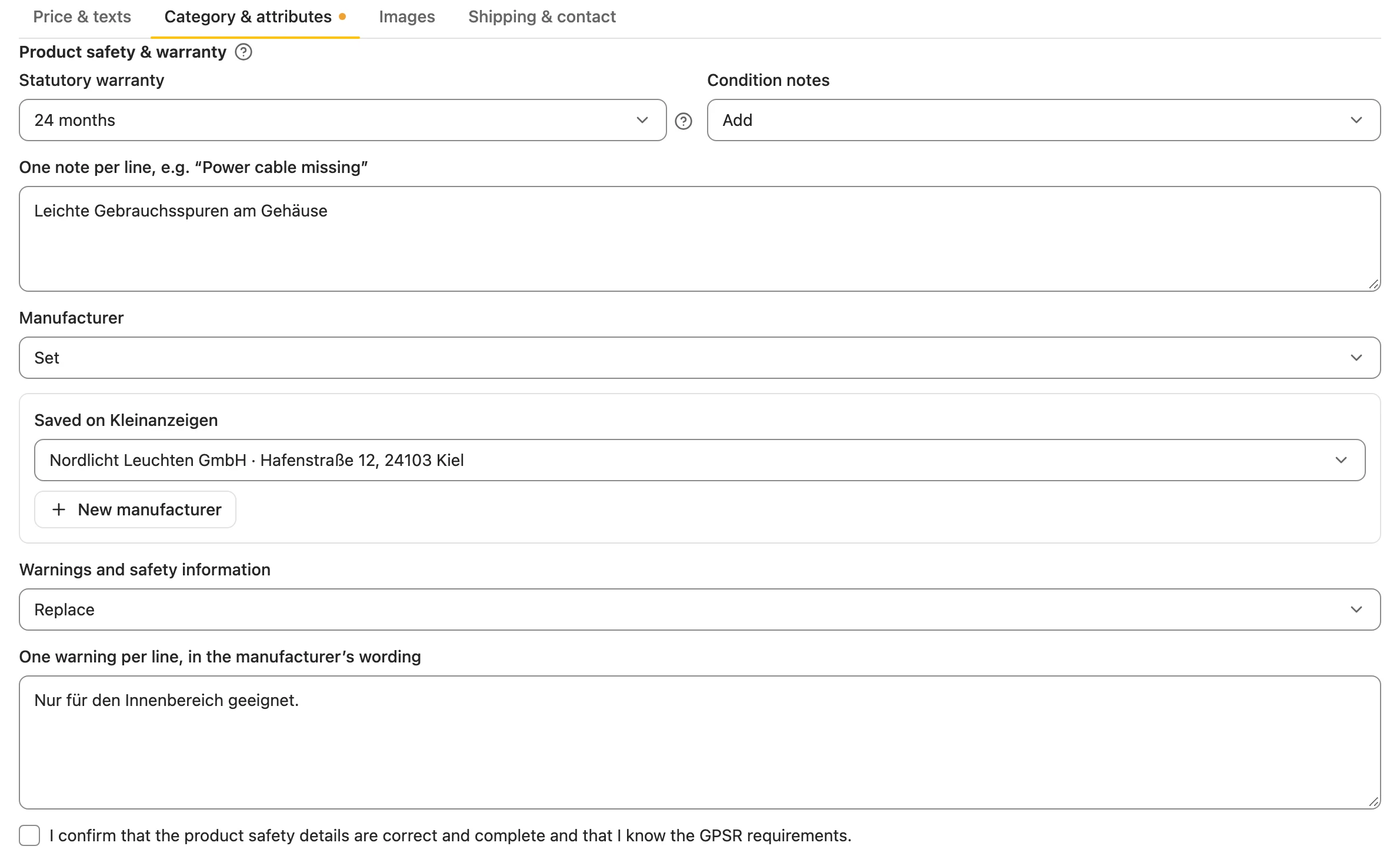
More: Values, manufacturer and affected listings
- Warranty: 24 or 12 months; new goods always keep 24 months.
- Manufacturer: from those in your Kleinanzeigen account or new with New manufacturer; it is saved there.
- Confirmation: whoever sets a manufacturer or warnings confirms, as on Kleinanzeigen, that the details are complete and correct.
- Affected are only commercial listings in categories where Kleinanzeigen asks for them; the others keep their details, and the preview names them.
- When editing a listing, existing details are kept.
Changing prices
Section titled “Changing prices”Change price … gives all selected listings a new price using a rule; Enter starts.
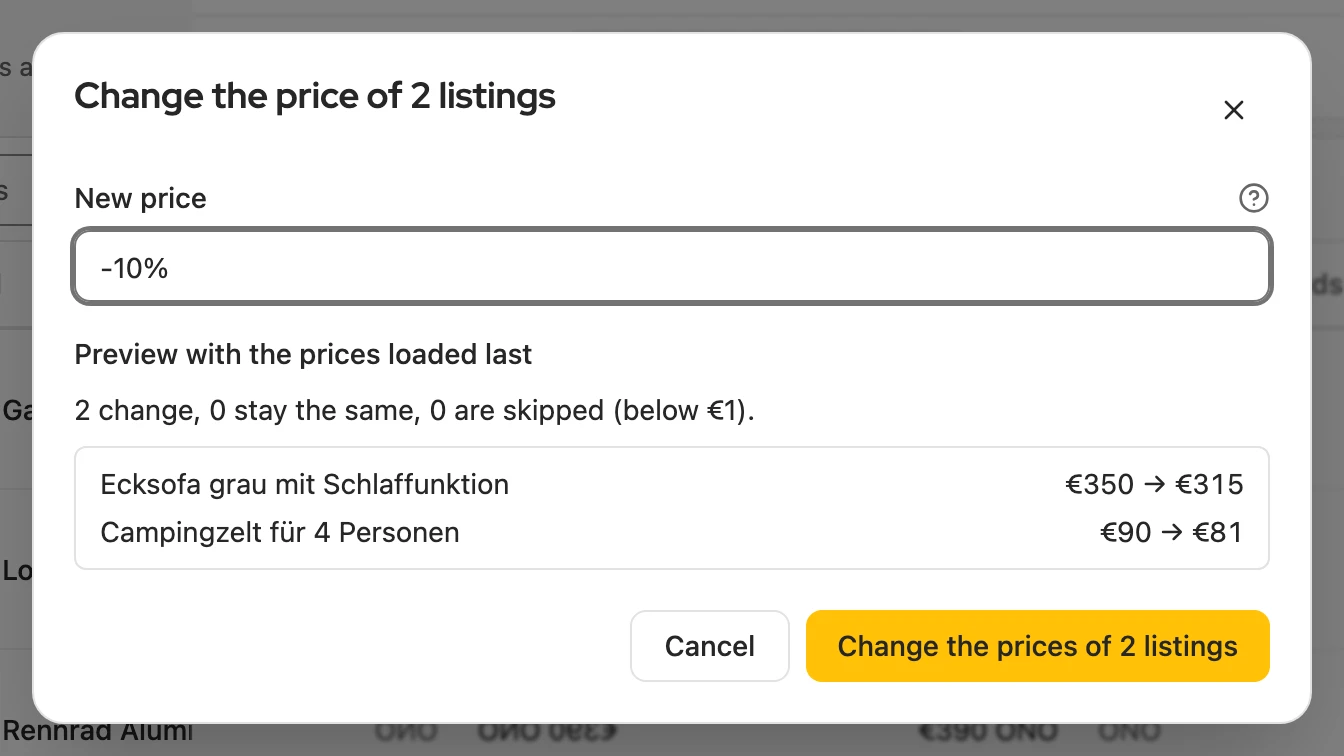
| Input | Result at €80 |
|---|---|
25 |
€25 |
-5 / +5 |
€75 / €85 |
-10% / +10% |
€72 / €88 |
More: Limits per platform
| Platform | Which listings | Limits |
|---|---|---|
| Kleinanzeigen | active and paused | whole euros only, at least €1; lower or “to give away” is skipped |
| Vinted, willhaben | active | cents allowed; below €0.50 is skipped |
- Starting price: before each change Kleinanzeigen-Enhanced reads the current price on the platform; a price that stays the same is not sent.
- Rejected: if the platform rejects a change, the listing is skipped and named at the end.
- Unclear whether it arrived: the process stops; Check again reads the price instead of sending it again.
- willhaben: runtime and costs stay the same; the listing shows In review for a few seconds.
Free listings on Kleinanzeigen
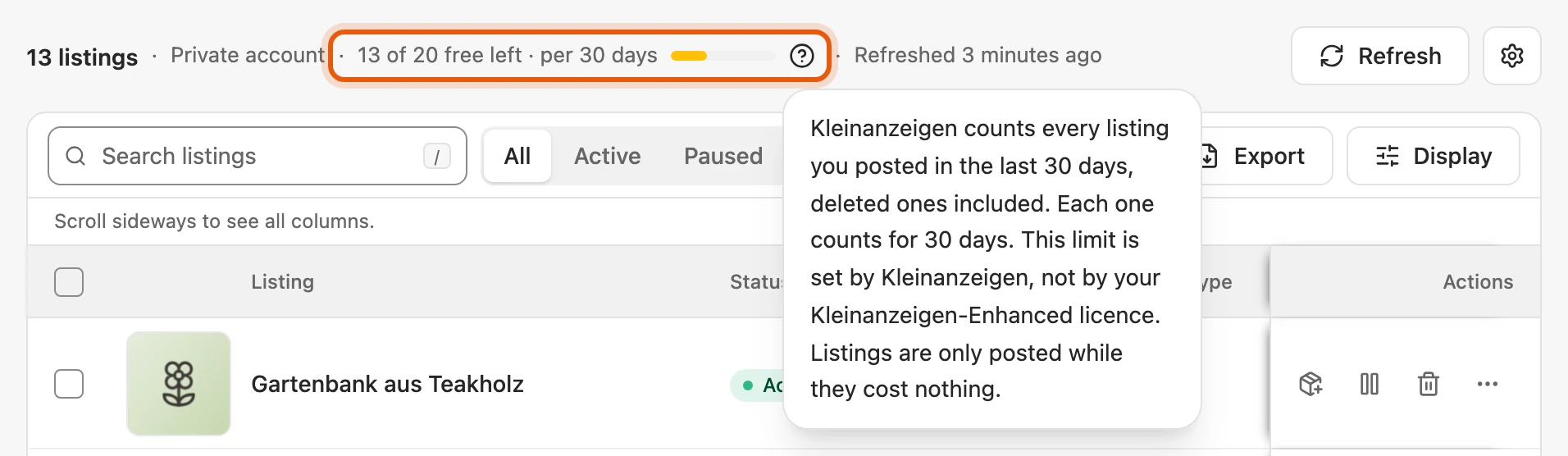
Section titled “Free listings on Kleinanzeigen”Above the list you see how many more listings you can post for free on Kleinanzeigen; hover over it to see how Kleinanzeigen counts. This limit is set by Kleinanzeigen, not by your licence.
| Account | How Kleinanzeigen counts |
|---|---|
| Private | all listings of the last 30 days, including deleted ones; each frees its place 30 days after it was posted |
| PRO package | per area, the listings in the account (active and deactivated) and the new ones per calendar month |
| Commercial without a package | a small free allowance per area, such as two for goods, none for real estate and jobs |
More: What the line shows
- Free again from: a date, for example “No free listings left · free again from 13 October”, only appears if you posted all these listings with Kleinanzeigen-Enhanced; otherwise it gives none rather than guess. There is no fixed day when everything is reset.
- PRO package: “Room for 2 more in the package” or “Package full”, the values per area on hover. Once an area is full, Kleinanzeigen accepts no more listings there, not even for a fee; only deleting or a bigger package makes room.
- Commercial without a package: “Paid beyond the free allowance”; beyond it every listing and every extension costs money. You see the state per area when you publish.
- Fees are stated by Kleinanzeigen for private and commercial users.
If something does not work
Section titled “If something does not work”- … session expired: Open the platform with Open …, sign in and click Check again.
- Kleinanzeigen is asking for a pause: Wait a little; the next refresh usually works on its own.
- Open Vinted once in your browser: Vinted has not seen your sign-in for too long. Kleinanzeigen-Enhanced has already tried to renew it once in a background tab.
- Vinted wants to confirm that a person is at work: Select Confirm on Vinted, solve the challenge in the Vinted tab and then Try again. If no challenge appears, change the price in the listing’s editor directly.
- nebenan.de (experimental) loads nothing: Sign in there in the same browser and refresh again.