

Connect a feed
A feed is a file or address with your products: CSV, JSON, XML or Excel, also as ZIP, up to 50 MB, or a Google Sheet by link. Kleinanzeigen-Enhanced only reads the feed; listings are only created when you take over or publish products. Feeds are available from Business M (with a plan from version 5: files from Business 100, feed addresses from Business 200). For JTL-Shop there is a ready-made template, see Connect JTL-Shop.
Setting up a feed
Section titled “Setting up a feed”-
Open Integrations and click Set up under Feed.
-
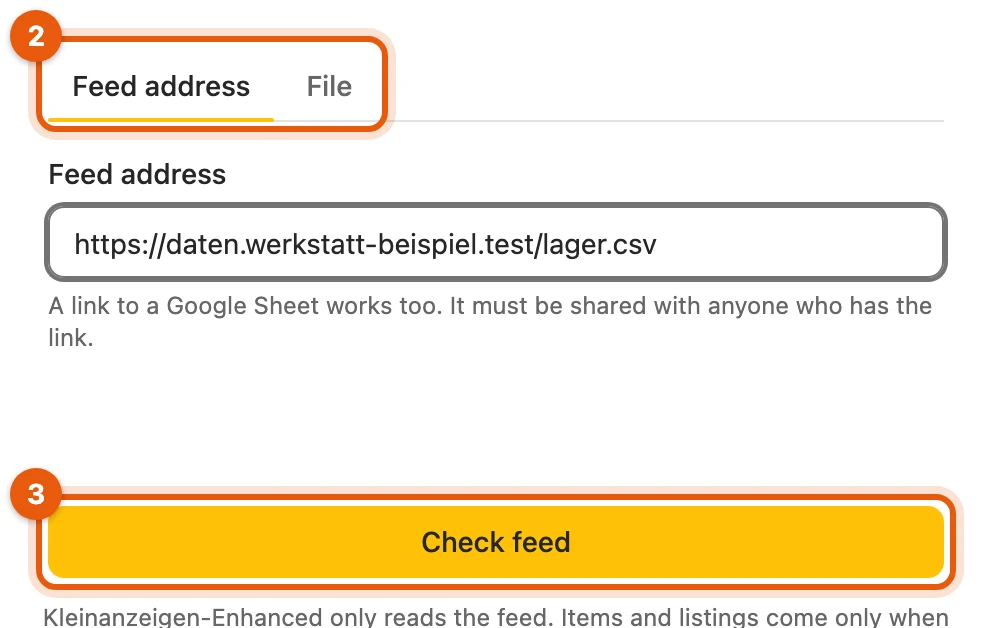
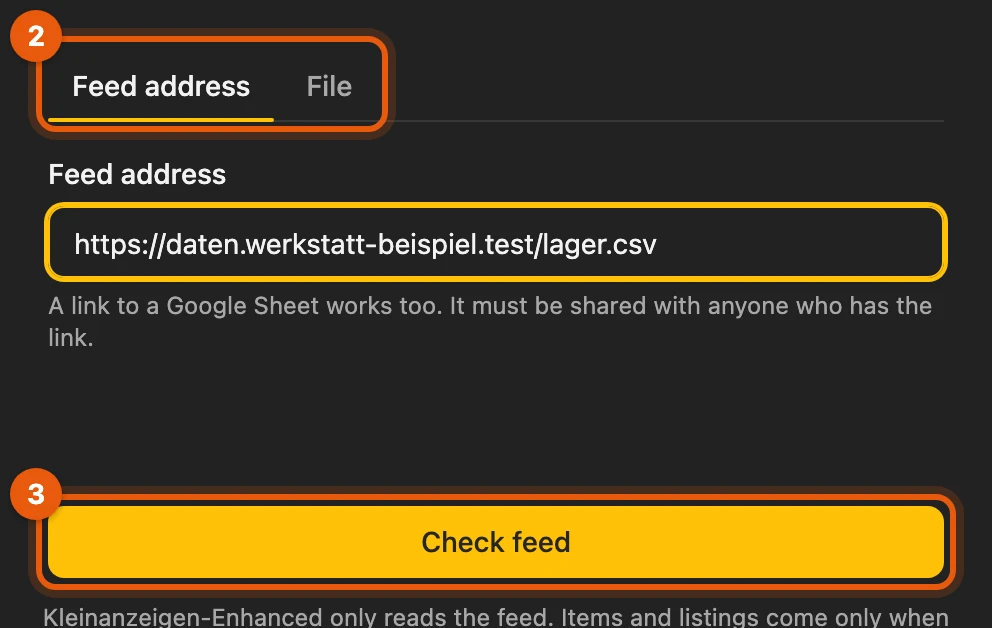
Enter the Feed address or choose a File (2). A Google Sheet must be shared with “Anyone with the link”.
-
Click Check feed (3) and allow the browser to access the address.
-
Check the mapping under Map columns and enter a Feed name.
-
Click Create feed and load products. Nothing is published.
More: if the check fails
- Web page instead of data: the check tells you. For a Google Sheet, set the sharing to “Anyone with the link”.
- Feed with sign-in: Kleinanzeigen-Enhanced does not read it.
- Google Sheet: the browser also asks for Google’s addresses.
Mapping columns
Section titled “Mapping columns”Kleinanzeigen-Enhanced suggests the columns itself. Only the Title (1) is required. Also choose a unique Reference (2) such as the item number: without it, products can never be synced.
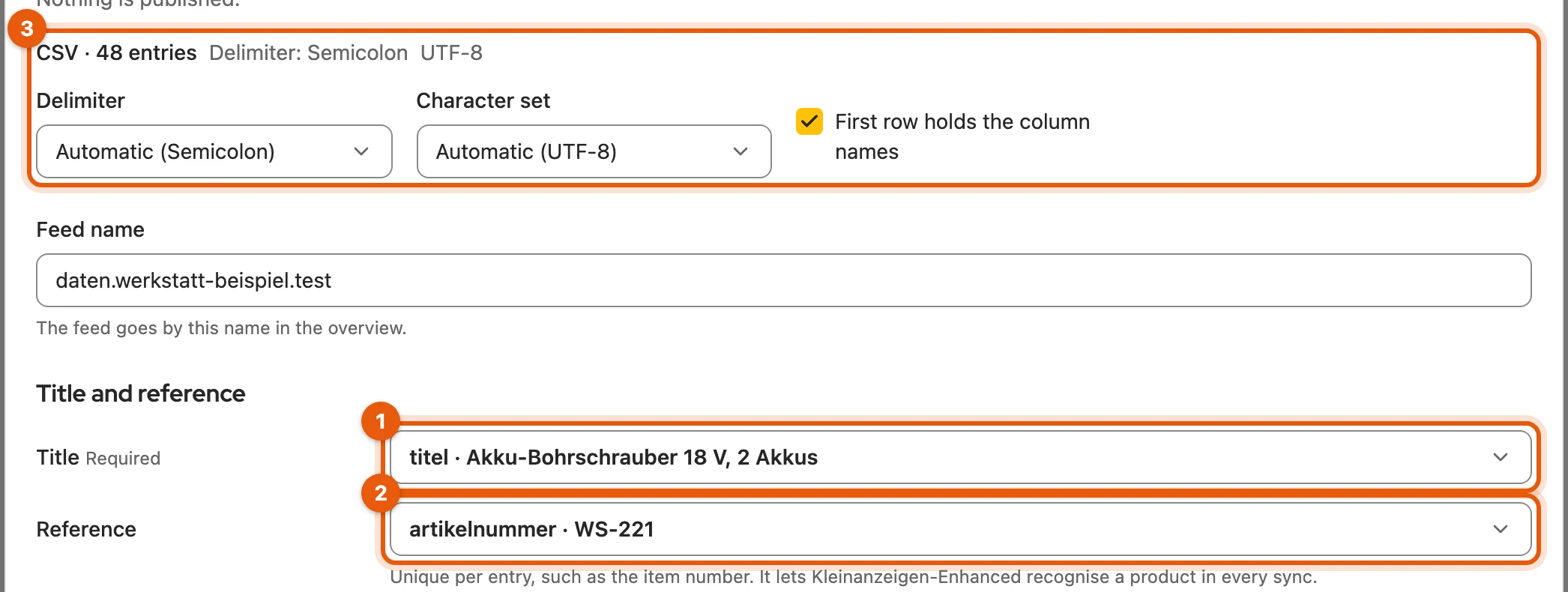
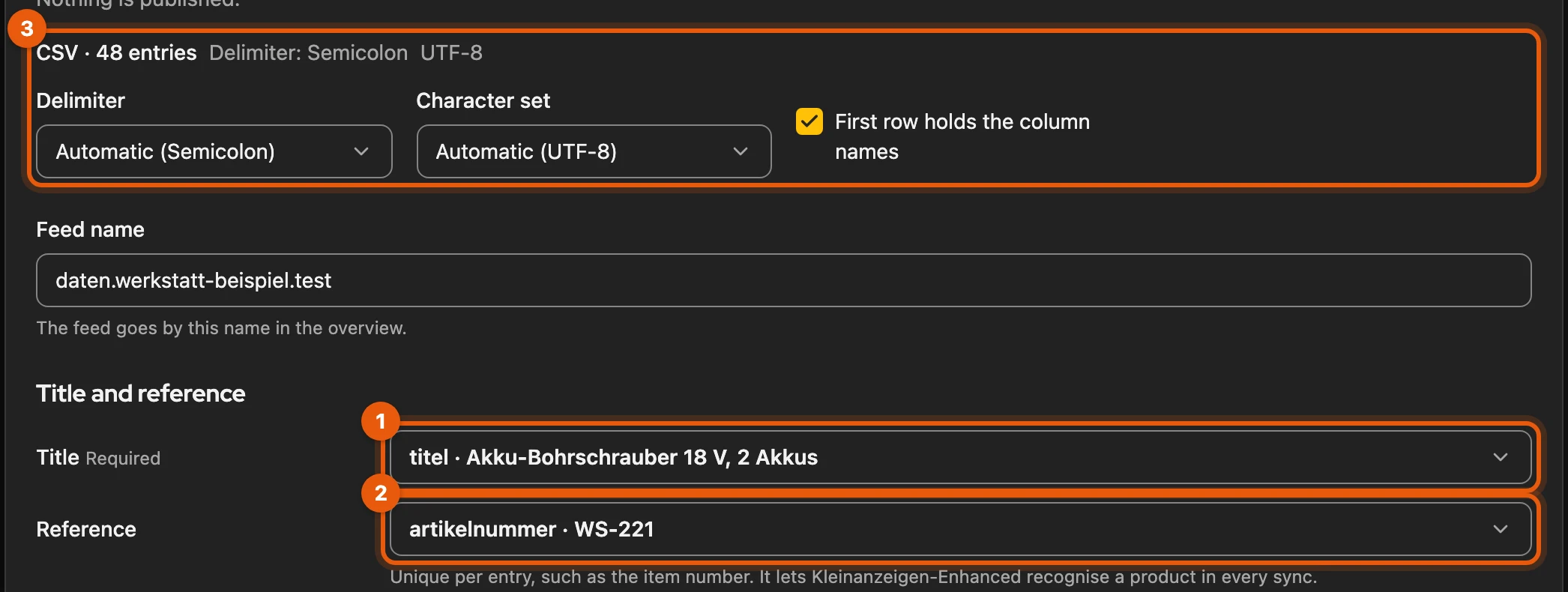
If the file is read incorrectly, adjust Delimiter, Character set or First row holds the column names at the top (3). You find samples on the File tab under Example files.


More: what goes into which column
| Field | Note |
|---|---|
| Price | gross price; you convert net prices in the settings |
| Images | several columns possible, the first gives the main image; separate with | in one cell |
| Category | a path such as “Möbel > Stühle” (Furniture > Chairs) or the ID of a Kleinanzeigen category |
| Stock | a number or a word such as “ausverkauft” (sold out); 0 means sold out |
| Status | “aktiv” (active) or “inaktiv” (inactive); a column “Import” with “nein” (no) leaves entries out |
| Kleinanzeigen ad ID | links an entry directly to your existing listing |
| Listing type | “Angebot” (offer) or “Gesuch” (wanted); without a column every entry becomes an offer |
| Partner link | for example for applications; Kleinanzeigen only accepts it for business job listings |
- More fields: Description, Price type, Brand, Condition and Postcode. Do not map leaves a field empty.
- Other columns such as displacement, power or first registration fill the matching Kleinanzeigen attributes on their own.
- Duplicate references: Kleinanzeigen-Enhanced then does not sync the feed until you choose a unique column.
- EAN, GTIN, ISBN, UPC, Barcode: a column with such a heading goes into the product identifier by itself if the check digit is correct.
- Google Drive folder instead of image links: up to 20 images, sorted by file name; the folder must be shared with anyone who has the link.
- HEIC photos from an iPhone are not taken over; save them as JPG.
- JSON, XML, Excel: at the top you also choose Entries under or the Sheet.
Description from several columns
Section titled “Description from several columns”If the description is spread over several columns, you combine them into one text. This costs no credits.
-
For Description, choose From several columns.
-
Write your text under Template, for example
Condition: {Condition}on a line of its own. -
Add columns with Insert column. Preview for the first row shows the result.
More: empty columns and errors
- Empty column: its whole line is dropped, so a listing never says “Condition:” without a value. If a product has no value in any of the columns, the description stays empty.
- Not in the feed: the mapping shows a renamed or missing column. You can only confirm once you correct it.
- Template changed: the next sync brings the new description to the listings.
Keeping the feed up to date
Section titled “Keeping the feed up to date”Load products reads a feed address again, Load new file takes a new file. If the feed shows Review needed, you confirm the changed columns with Check mapping. Feed addresses can also be synced automatically from Business L, files never.
More: new file and automatic sync
- Different file name: Kleinanzeigen-Enhanced asks first (Load another file?).
- Same columns: the file is loaded without any further step, otherwise the mapping opens.
- Plan from version 5: automatic sync from Business 400.
Settings
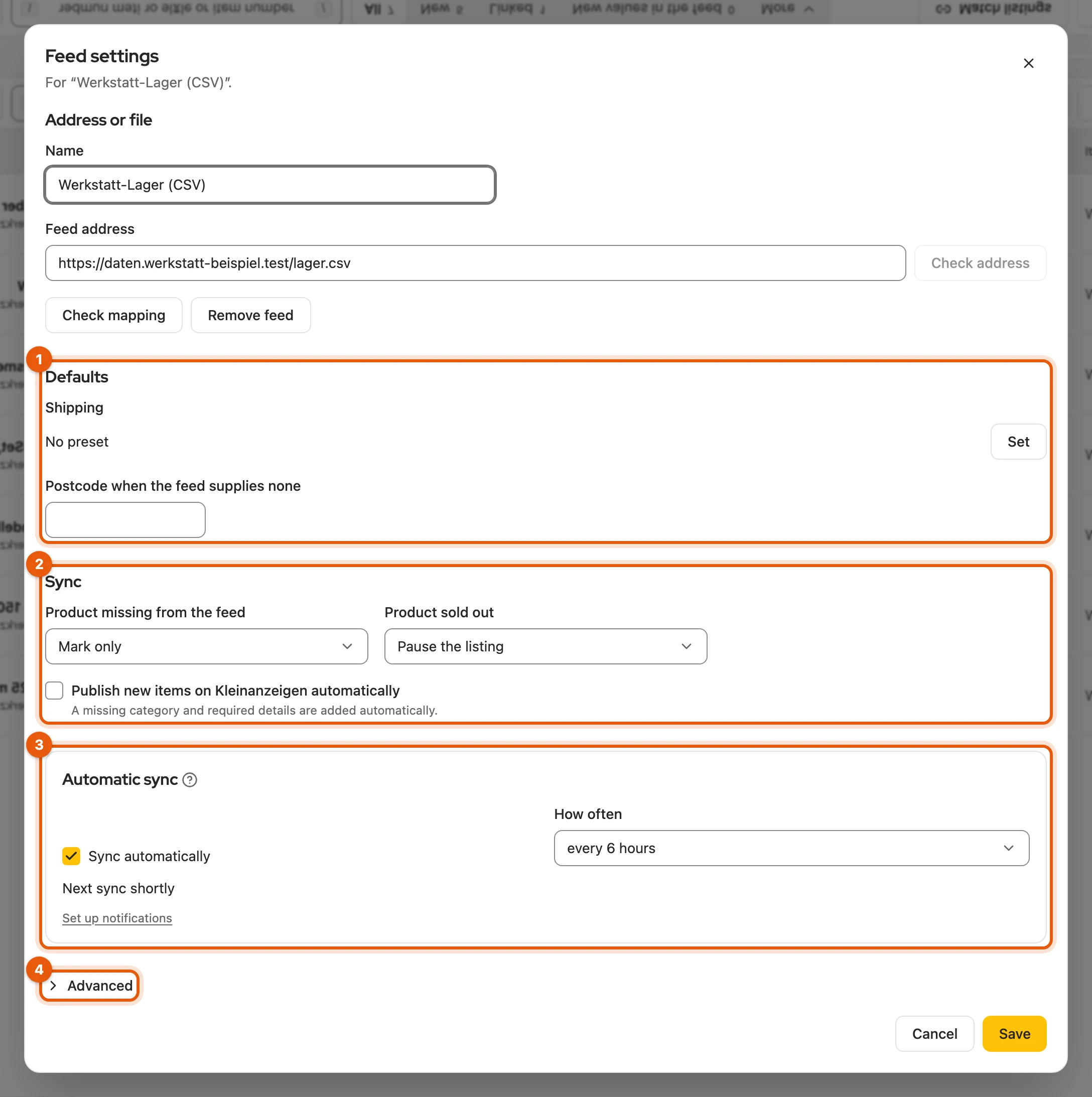
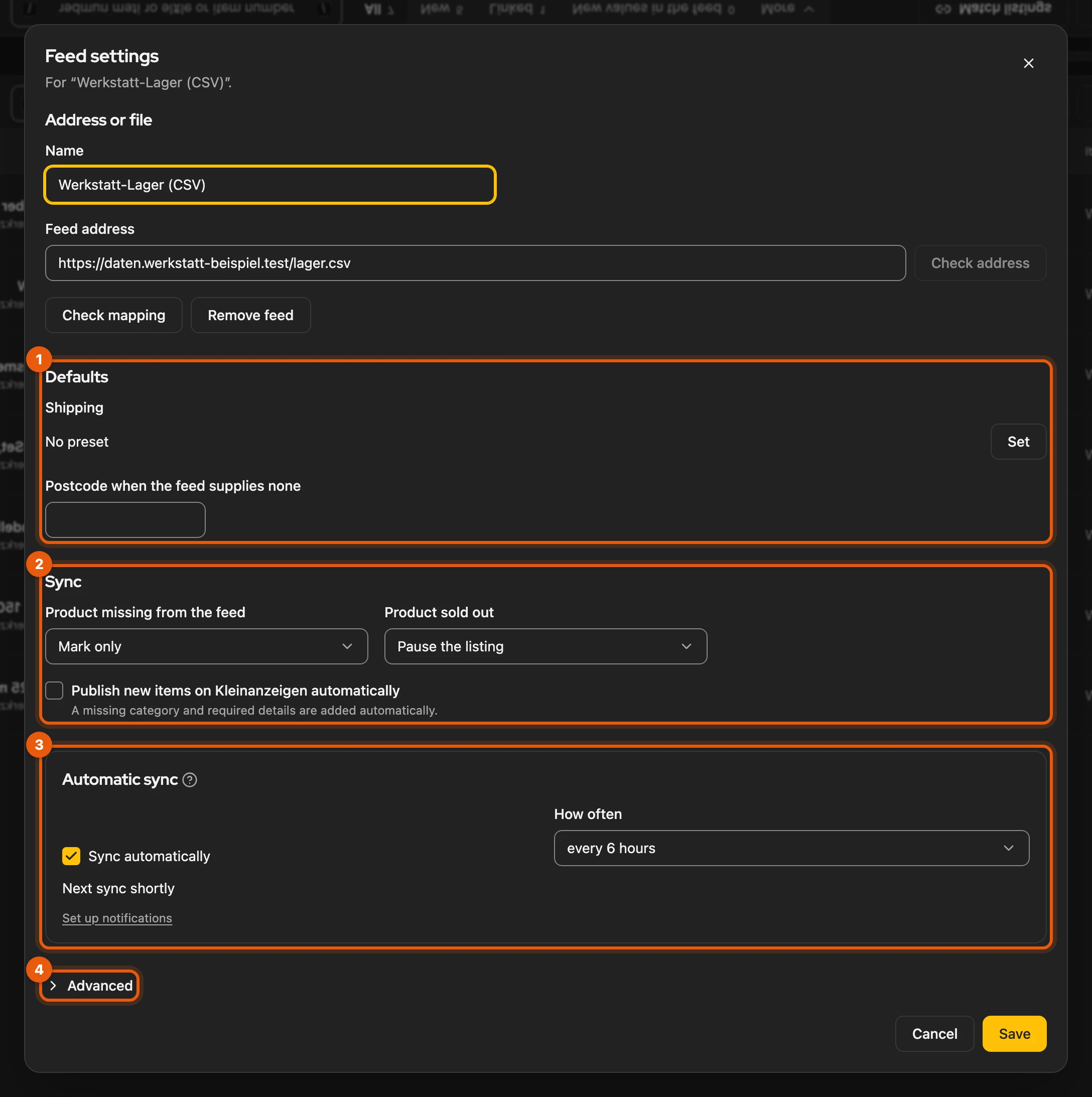
Section titled “Settings”In the gear (Feed settings) you set Defaults such as Shipping (1), the Sync (2) and the Automatic sync (3). Under Advanced (4) are prices (net, Rounding), Base item, Contact and further sync rules. Private Kleinanzeigen accounts need the carriers under Shipping, otherwise an item that ships does not go online.
Rewrite texts rewrites the title or description when you take over or publish products; this costs one credit per item. You set up one feed; Remove feed deletes the product list, settings and stored file, items and listings stay.
More: the settings in detail
- Visible right away: name, address or file, shipping, postcode, what happens with missing and sold-out products, Publish new items on Kleinanzeigen automatically and Sync automatically with How often. The rest is under Advanced.
- New address: it is read first and the mapping is shown for confirmation, also on Save.
- Prices: Prices in the feed are net: add VAT with VAT in %. A new feed is set to Round to whole euros, because Kleinanzeigen only accepts whole euro amounts.
- Shipping: Shipping, Shipping and pickup or Pickup only, plus parcel size and carriers. No preset uses the details of the base item and the feed.
- Contact: Show phone number only for business accounts with a stored number, Show full address only with a street.
- Rewrite texts: never in the automatic sync. Under Wishes for the text up to 200 characters, such as “Factual, no emojis”. A new feed has it off, a feed from Version 5 keeps its setting. The price always comes from the feed.
- Sync: which fields the feed overwrites and how many new listings a sync publishes at most (up to 100).
- Locked: as long as a process is open, address, file and mapping cannot be changed.
Switching from the “Manuell” import
Section titled “Switching from the “Manuell” import”The feed replaces the “Manuell” (manual) import from Version 5: a Google Sheet as a feed address, a CSV or Excel file on the File tab. Kleinanzeigen-Enhanced recognises the column names from Version 5. Contact details come from your Kleinanzeigen account, the category as for all shops and feeds.
More: which columns from Version 5 work
- Recognised: the German column names, including “AnzeigenID”, “Inseratsart” and “Import” with “nein”.
- Not taken over: contact details, “AnzeigenTyp”, “StandortID” and an import template per row. Seller type comes from your Kleinanzeigen account.